Step 7: Creating a UDP Output on Zixi Broadcaster/ZEC
Zixi Broadcaster and ZEC can output streams to various types of targets. The stream can be sent as unicast or multicast. It can also be stored as a file or transmitted as an IP-MPEG-TS stream. You can include multiple sources in your Output for high-availability.
For this tutorial we will send the stream to another Broadcaster/ZEC.
To Create a UDP Output on Broadcaster/ZEC:
In the Zixi Broadcaster/ZEC UI, in the Main Navigation, click Outputs. The Outputs page opens.
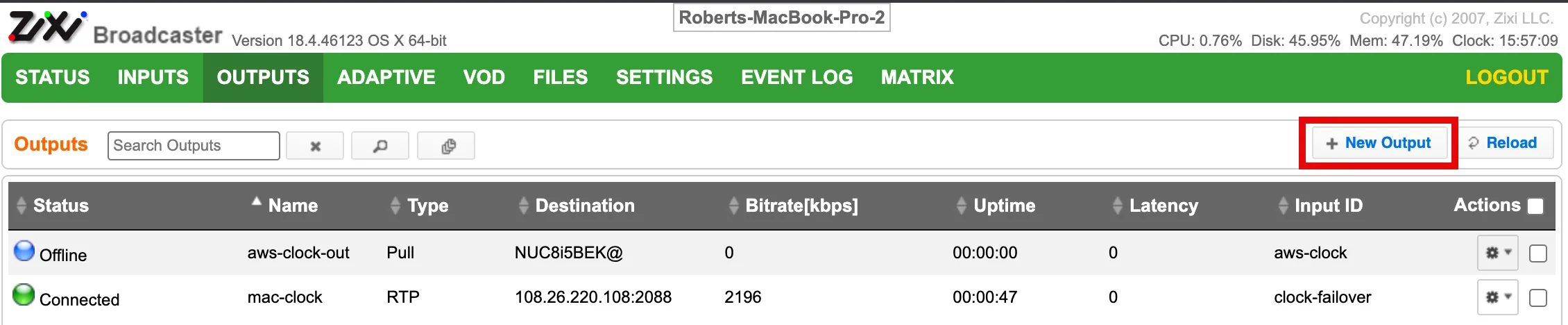
On the Outputs page, click the +New Output button in the Menu bar.
The New Output screen is displayed.
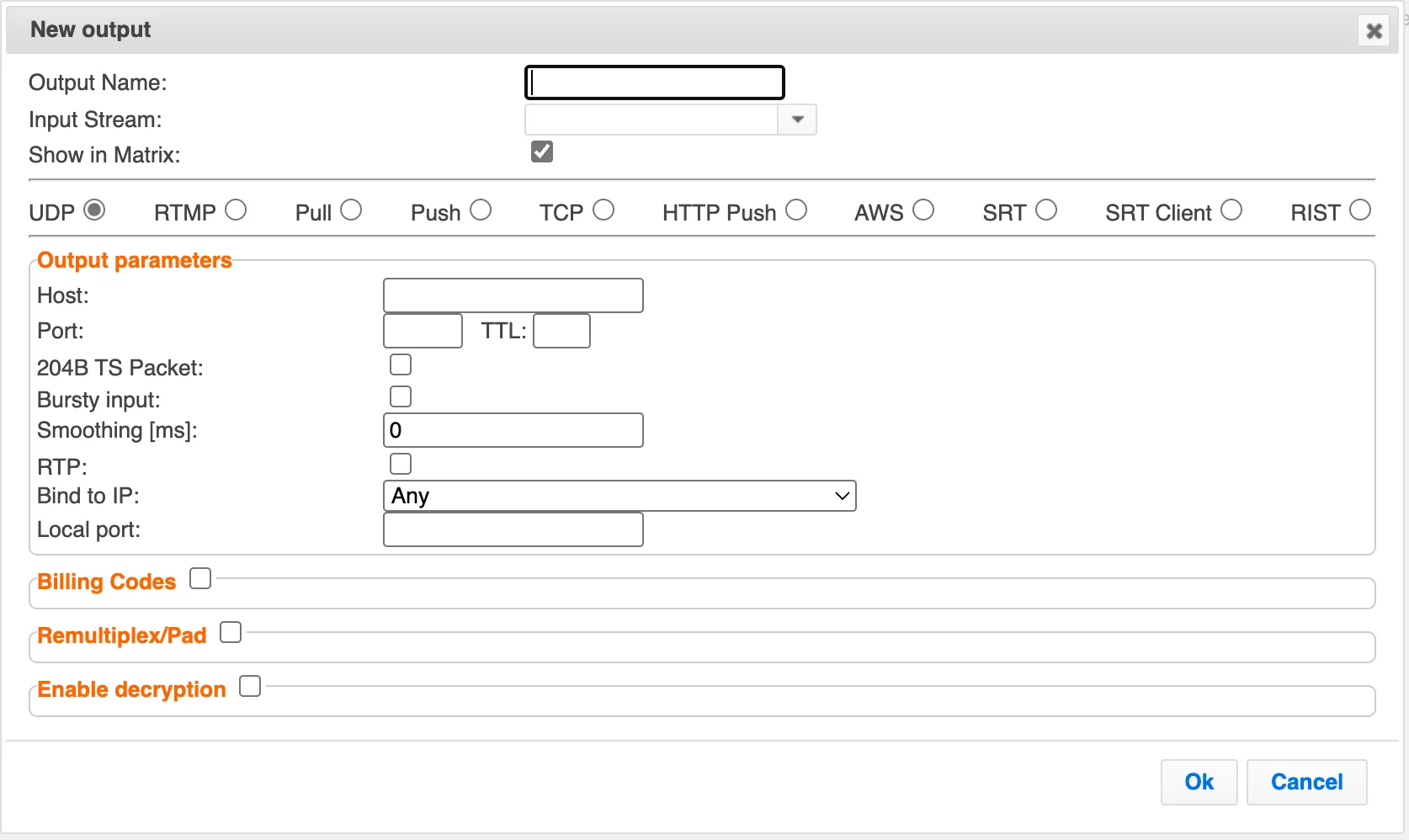
In the Input type section, verify that UDP is selected (default).
In the Name field, enter a unique name to refer to this Output, e.g. SampleTSFile/UDPOutput01.
In the Input Stream field, select from the dropdown list the Input that you created to pull the stream from the Broadcaster.
In the Host field, enter the hostname or IP of the Broadcaster/ZEC you want to send the UDP stream to.
In the Port field, enter the port on your IRD that will receive the stream.
In the NIC field, verify that Any is selected (default).
To learn about additional configuration options, see Adding UDP Outputs.
Click OK.
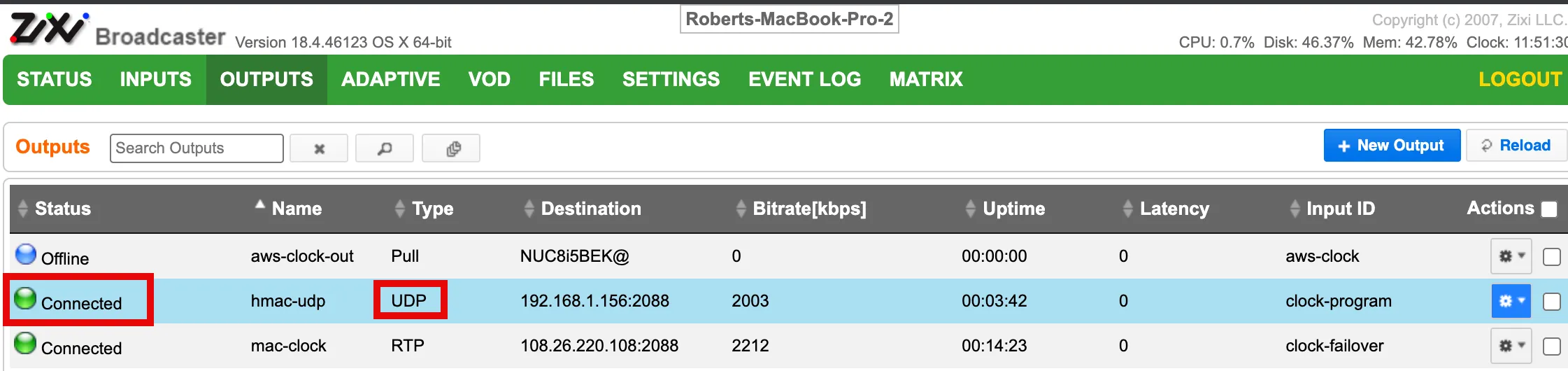
The new Output is added to the Zixi Receiver and now appears on the Outputs screen. The status indicators for the Output should be green (Connected).
Congratulations! You have successfully sent the stream from your TS file through the Zixi system and delivered it to another Broadcaster/ZEC. The following sections explain how to start and stop your stream and how to view the content of the stream.