Step 6: Register ZEC in ZEN Master
Note: If you are not using a ZEC on a separate system for this exercise, or if you have already set up your ZEC in ZEN Master, you can skip Steps 6 and 7.
If you are using a ZEC on a separate system as your target, register it in ZEN Master now before configuring the workflow. Unlike Broadcasters, ZECs are registered directly as individual edge devices and do not belong to a Cluster.
In the main navigation, click Zixi Edge Devices.
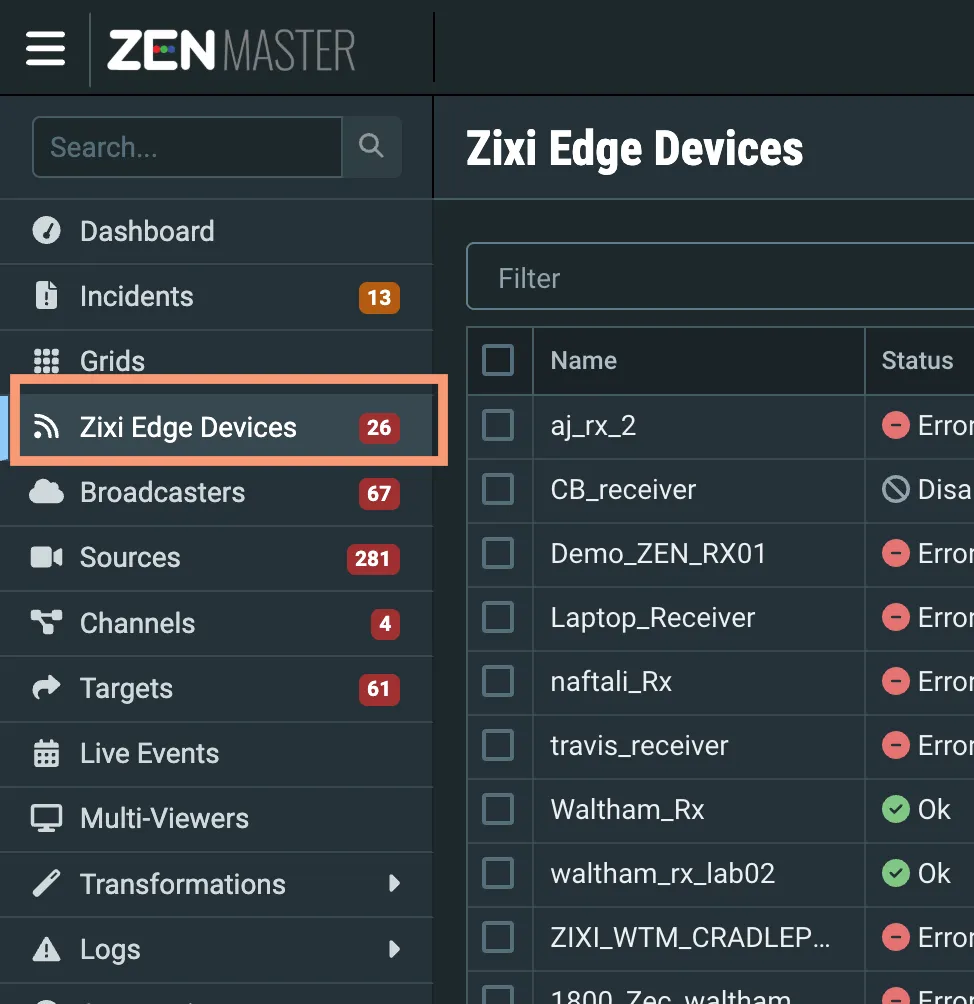
Click + Add, then click ZEC. The Create New ZEC screen is displayed.
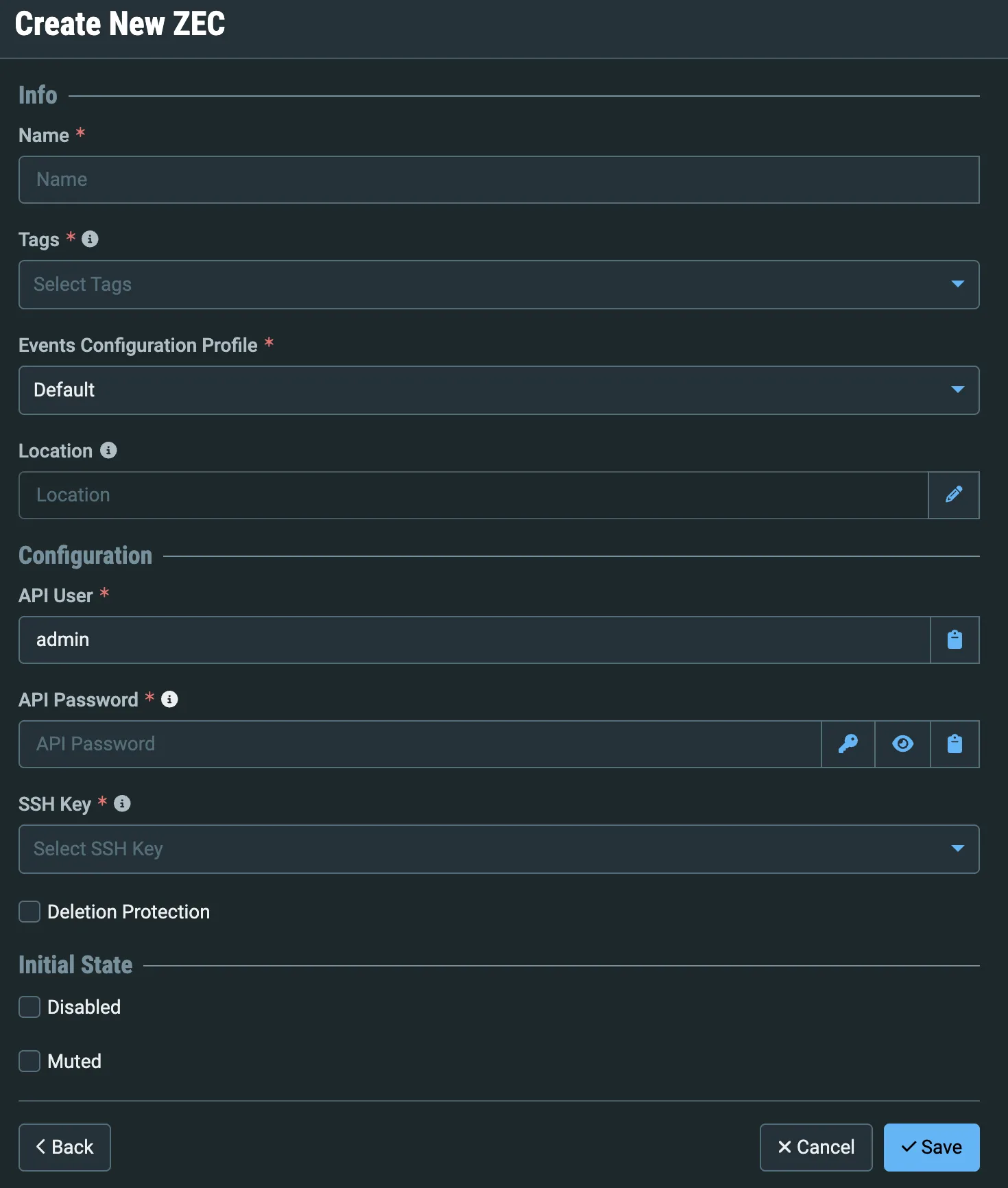
In the Name field, enter a logical name for the ZEC.
In the API User field, enter admin (default).
In the API Password field, enter the ZEC's admin password (default: 1234).
For security reasons, we recommend changing the default admin password in the ZEC UI before registering it in ZEN Master. If you have changed the password, enter the updated password here.
In the SSH Key field, select the SSH key you created in Step 3.
Click Save.
The ZEC will display a Pending status until you complete the connection from the ZEC UI in Step 7.