Step 4: Add a Broadcaster to the Cluster
Note: If you have already registered a Broadcaster in a cluster, you can skip Steps 4 and 5.
When the Cluster exists, you register individual Broadcaster instances within it. This is the first step. Once completed, we'll configure the SSH connection in the Broadcaster UI to complete the registration.
In the main navigation, click Broadcasters.
From the list of Broadcaster Clusters, select the Cluster you created in Step 2. The Cluster details are displayed on the right.
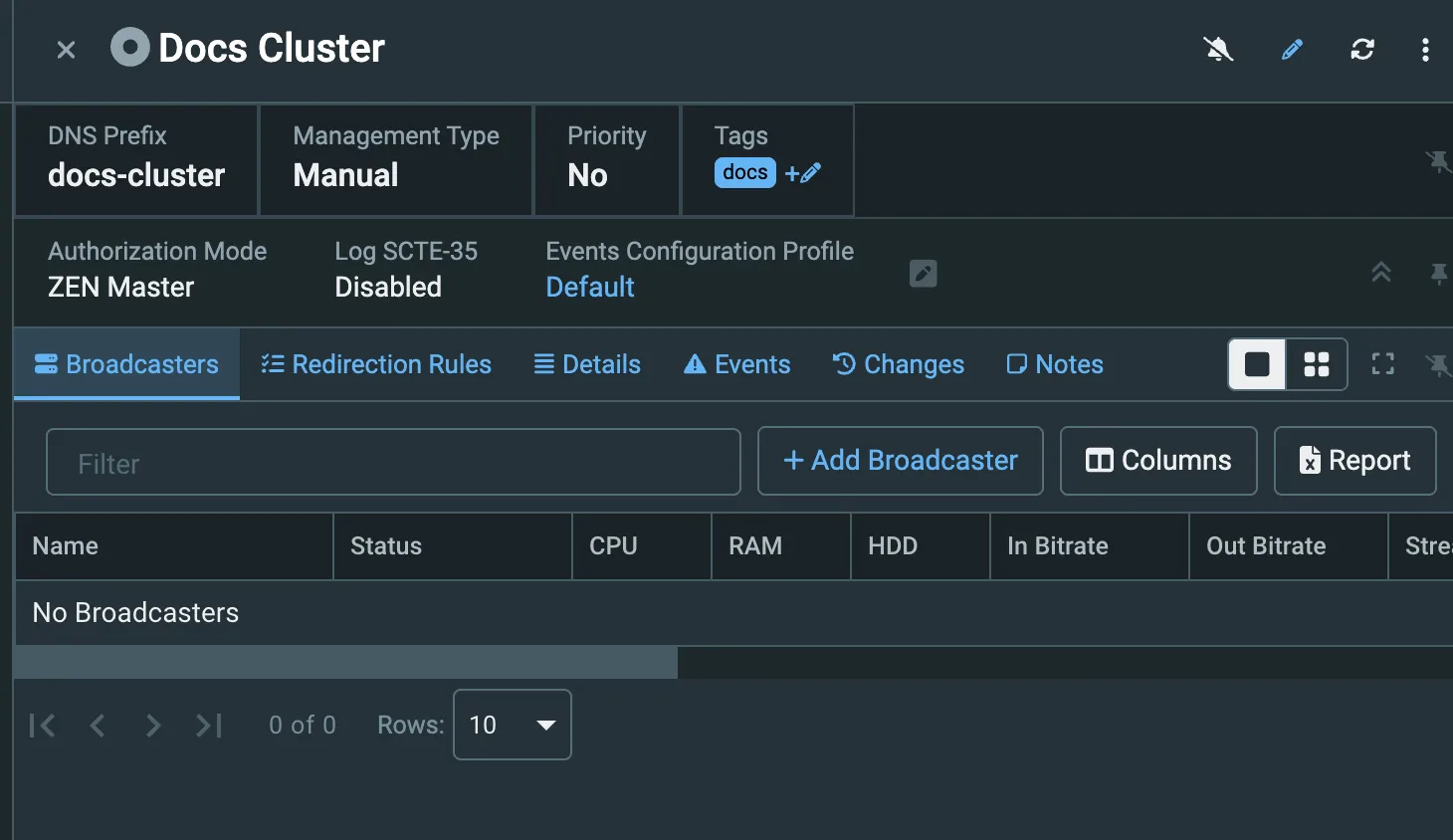
In the Broadcasters section, click + Add Broadcaster. The Create New Broadcaster window is displayed.
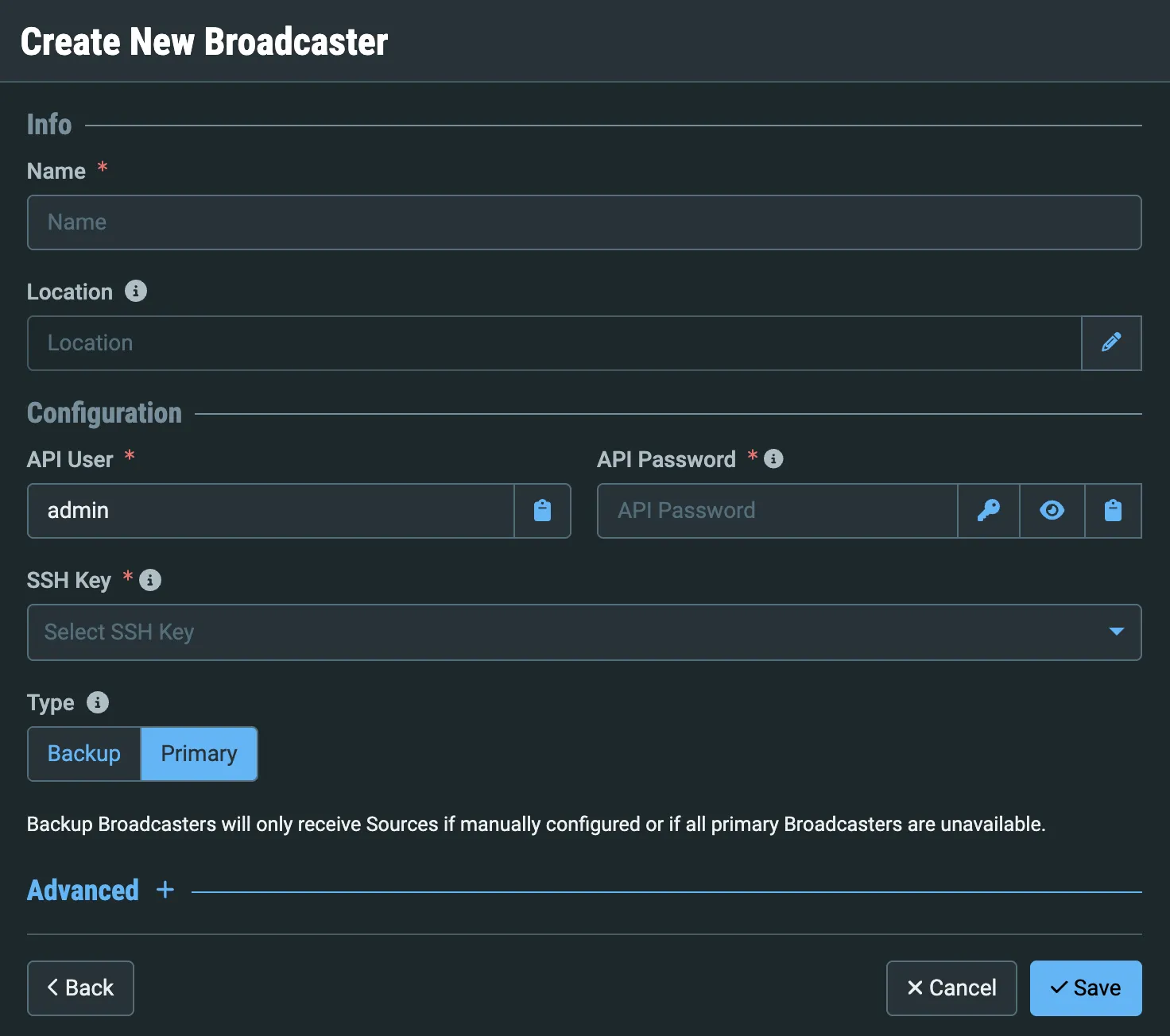
In the Name field, enter a logical name for this Broadcaster instance.
In the API User field, enter admin.
In the API Password field, enter the admin password for logging into the Broadcaster. These credentials allow ZEN Master to access the Broadcaster API.
Remember that the default password is 1234. For security reasons, Zixi recommends changing the password in the Broadcaster UI Settings before you register it in ZEN Master. If you have changed it, enter the new password here.
Select an SSH Key from the dropdown, either the one you created in Step 3, or one you created earlier.
For the Broadcaster Type, leave it as Primary (the default).
Click Save.
Remember: The Broadcaster is set up now, but not connected to ZEN Master. In the next step, we will configure the SSH connection in the Broadcaster UI to make the connection.