Streaming with Broadcaster Only
To stream from Zixi On Air Pro to your Broadcaster, you must first enable the Broadcaster to receive the input by creating a Push Input.
You must have access to a running Zixi Broadcaster. If you are activating your Broadcaster for the first time, see Installing Zixi Products.
There are two options to stream to a stand-alone Broadcaster (both options use the Zixi protocol):
- Manual connection option - you can manually create a Push Input on your Broadcaster in advance and then configure a Connection with the Input's details.
- Automatic connection option - you can create a connection on the On Air Pro app with the details of the Broadcaster. When you start streaming using this connection, a Push Input is automatically created on the Broadcaster and will disappear once the stream is disconnected. This option requires enabling the Allow automatic HTTP push input setting.
Manual Connection Option
Step 1 - Add a Push Input to your Broadcaster
Open your Zixi Broadcaster.
In the top navigation, select Inputs.
On the Inputs screen, select + New Input.
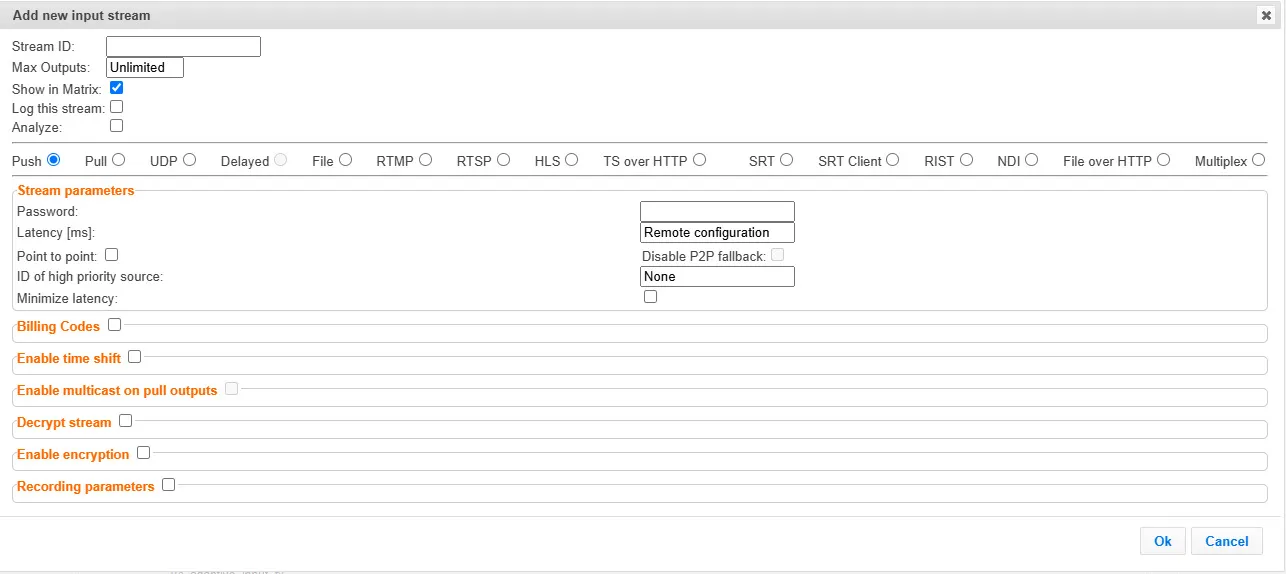
In the Stream ID field, enter a name that you will use to identify the stream sent from your On Air Pro app. Make a note of the Stream ID (case sensitive), as you will enter this as the Stream ID in the app settings.
In the stream type selection, select the Push radio button (default).
In the Stream Parameters section, in the Password field, you can add a password for increased security. Make a note of the Password (case sensitive), as you will enter this as the Password in the app settings.
Configure additional settings as necessary.
Click OK.
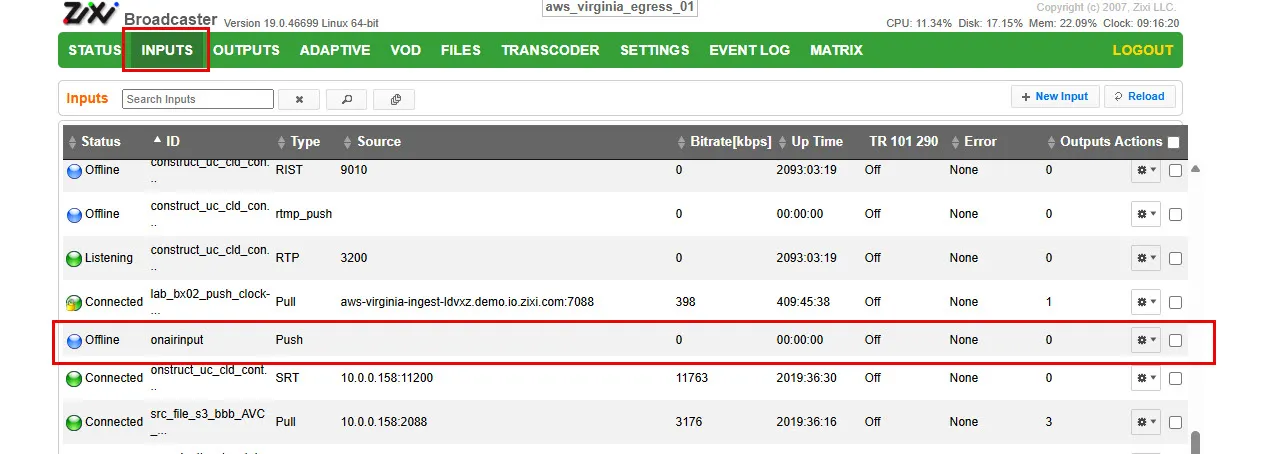
The new Input is added to the Zixi Broadcaster and now appears in the list of available streams on the Inputs screen. The Status should be Offline (blue).
Step 2 - Get the Broadcaster IP Address
Get the public IP address for your Zixi Broadcaster, so you can use this to populate the Host field in the app, by doing one of the following:
If you are running the Zixi Broadcaster from your local machine, run the following command:
For Linux - curl -4 ip.me
For Windows - go to ip.me.
If you are using a Broadcaster connected to ZEN Master, the IP is show on the Broadcaster page in the ribbon at the top of the Broadcaster page.
Step 3 - Add a New Connection
On your Apple or Android device, open the Zixi On Air Pro app.
In the top left, tap the gear icon.
In Settings, tap Connections.
Tap the + icon to create a new connection.
Enter the following information:
- Name – Give the connection a name
- Stream ID – Enter the same Stream ID you have configured on the Zixi Broadcaster (case sensitive).
- Host – Enter the Public IP address for the Broadcaster (e.g. 172.217.22.14)
- Port – Leave the default, or set the Broadcaster server port which allows push inputs:
- 2088 – Non-encrypted
- 7088 – Protected by DTLS
- Password – Optional: Enter the password set on the Broadcaster Input
- Ignore DTLS Certificate Errors – Turn on to enable
- Required with port 7088 and fully qualified domain name
Tap Add to create the connection.
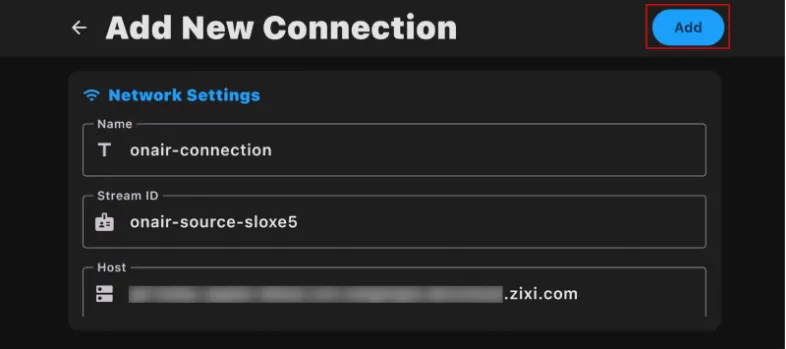
In the Connections screen, if you have multiple connections, long tap the newly created connection to set it as the default connection.
In Audio Settings, you may want to toggle Stereo Mode on.
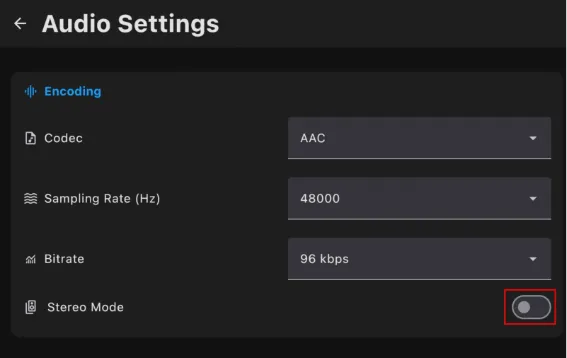
Step 4 - Start Streaming
- In the On Air Pro app, navigate back to the camera.
- Press the red button to start streaming.
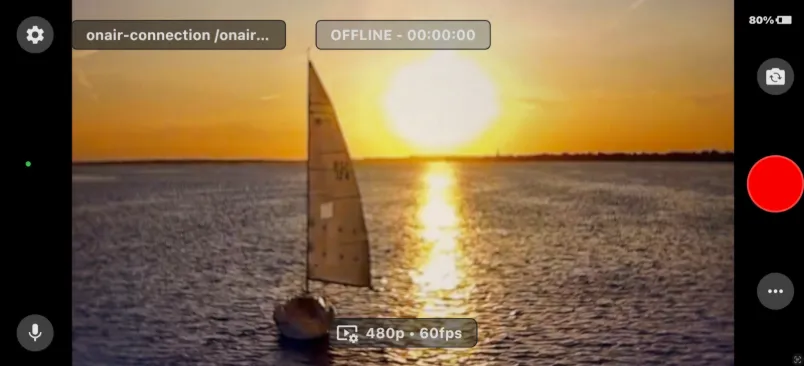
- In Zixi Broadcaster, you should now see your new input.
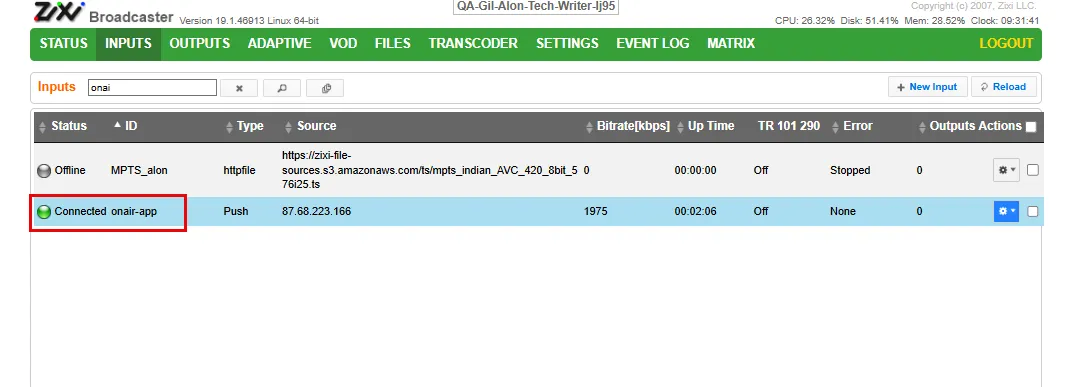
Automatic Connection Option
Step 1 - Enable the Allow automatic HTTP push input setting
- On the Broadcaster, go to Settings > Live Protocols.
- Enable the Allow automatic HTTP push input setting.
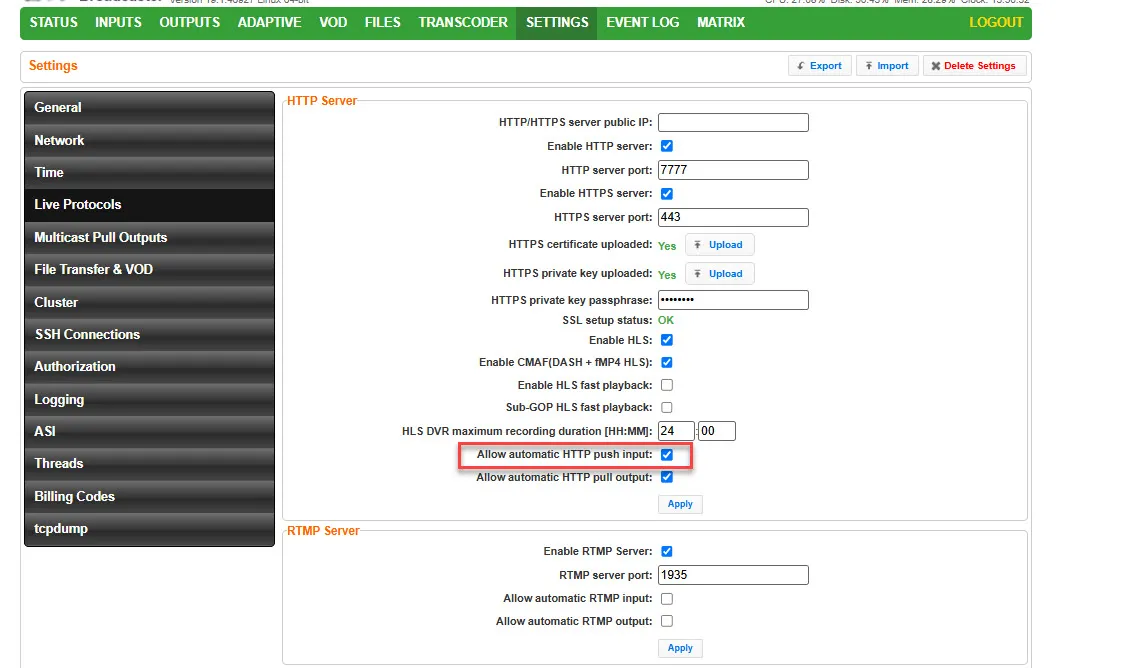
- Click Apply.
Step 2 - Add a New Connection
On your Apple or Android device, open the Zixi On Air Pro app.
In the top left, tap the gear icon.
In Settings, tap Connections.
Tap the + icon to create a new connection.
Enter the following information:
- Name – Give the connection a name
- Stream ID – Give the stream ID a name. This will be used to create a temporary input on your Broadcaster. (e.g. onair-app)
- Host – Enter the Public IP address for the Broadcaster (e.g. 172.217.22.14) you will use to stream.
- Port – Leave the default, or set the Broadcaster server port which allows push inputs:
- 2088 – Non-encrypted
- 7088 – Protected by DTLS
- Ignore DTLS Certificate Errors – Turn on to enable
- Required with port 7088 and fully qualified domain name
Tap Add to create the connection.
In the Connections screen, if you have multiple connections, long tap the newly created connection to set it as the default connection.
In Audio Settings, you may want to toggle Stereo Mode on.
Step 3 - Start Streaming
- In the On Air Pro app, navigate back to the camera.
- Press the red button to start streaming.
- In Zixi Broadcaster, you should now see your new input. This input will disappear once the stream will stop.