Streaming using ZEN Master
Zixi On Air Pro is a mobile contribution solution that allows you to stream video from your Apple device (iPhone, iPad) or Android device (mobile phone, tablet) to a Zixi Broadcaster by creating a new OnAir Source in ZEN Master and linking it to your device.
Workflow
- Create an OnAir Source
- Add a New Connection
- Start Streaming
Create an OnAir Source
In a web browser, navigate to https://.zen.zixi.com
In the left navigation, select Sources.
Select +Add.
Select Zixi.
Enter the following:
- Name – Enter a unique name for the Source
- Tags - Add Tags to control access to this Source
- Mode – Leave this as Push
- Application – Select OnAir
- Ingest Cluster – Select from the drop-down list one of the available Ingest Clusters as the destination for the Source.
- Target Broadcaster – Select a specific Broadcaster to be used OR specify your preference for using primary vs. backup Broadcasters, options are: Prefer Primary Broadcasters, Primary Broadcasters only, Backup Broadcasters only or Prefer Backup Broadcasters.
- Source Password – Optional: Add a password to use with the On Air app
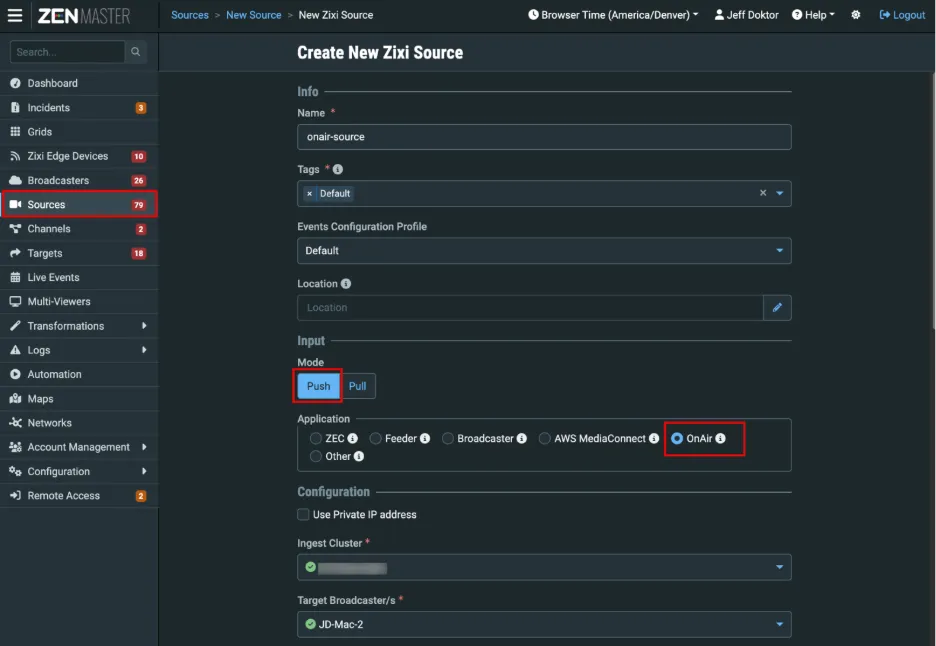
For information about the other fields for this Source, see Adding a Zixi Source – OnAirAdding a Zixi Source - OnAir.
Select Save to create the Source.
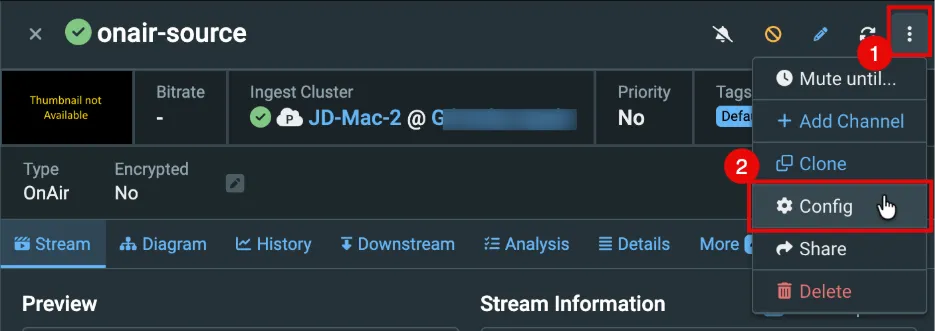
Once you have created the Source, find it in the display list select it and In the top right “kebab” icon, select Config.
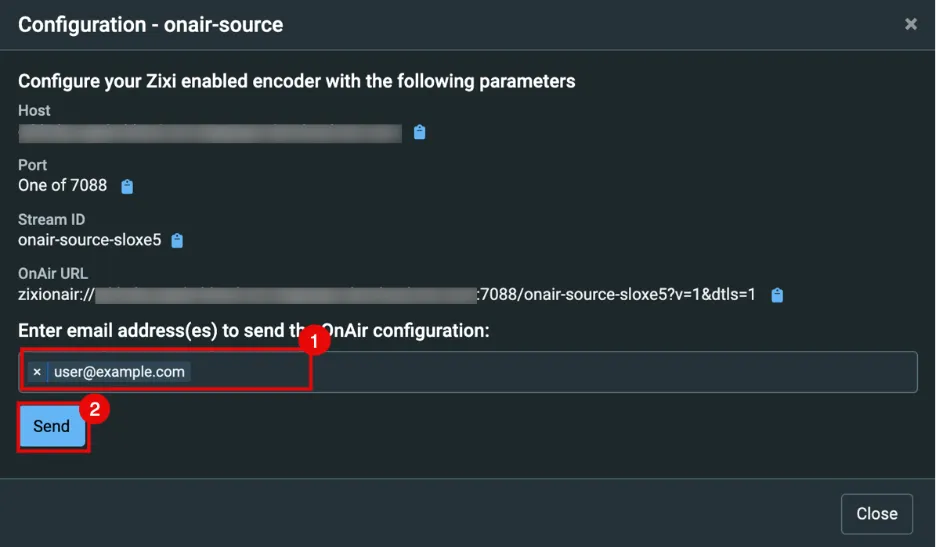
Enter an email address to send the Source configuration to your Apple or Android device.
Click outside the input area and click Send.
Close the Configuration window.
Add a New Connection
Return to your Apple or Android device.
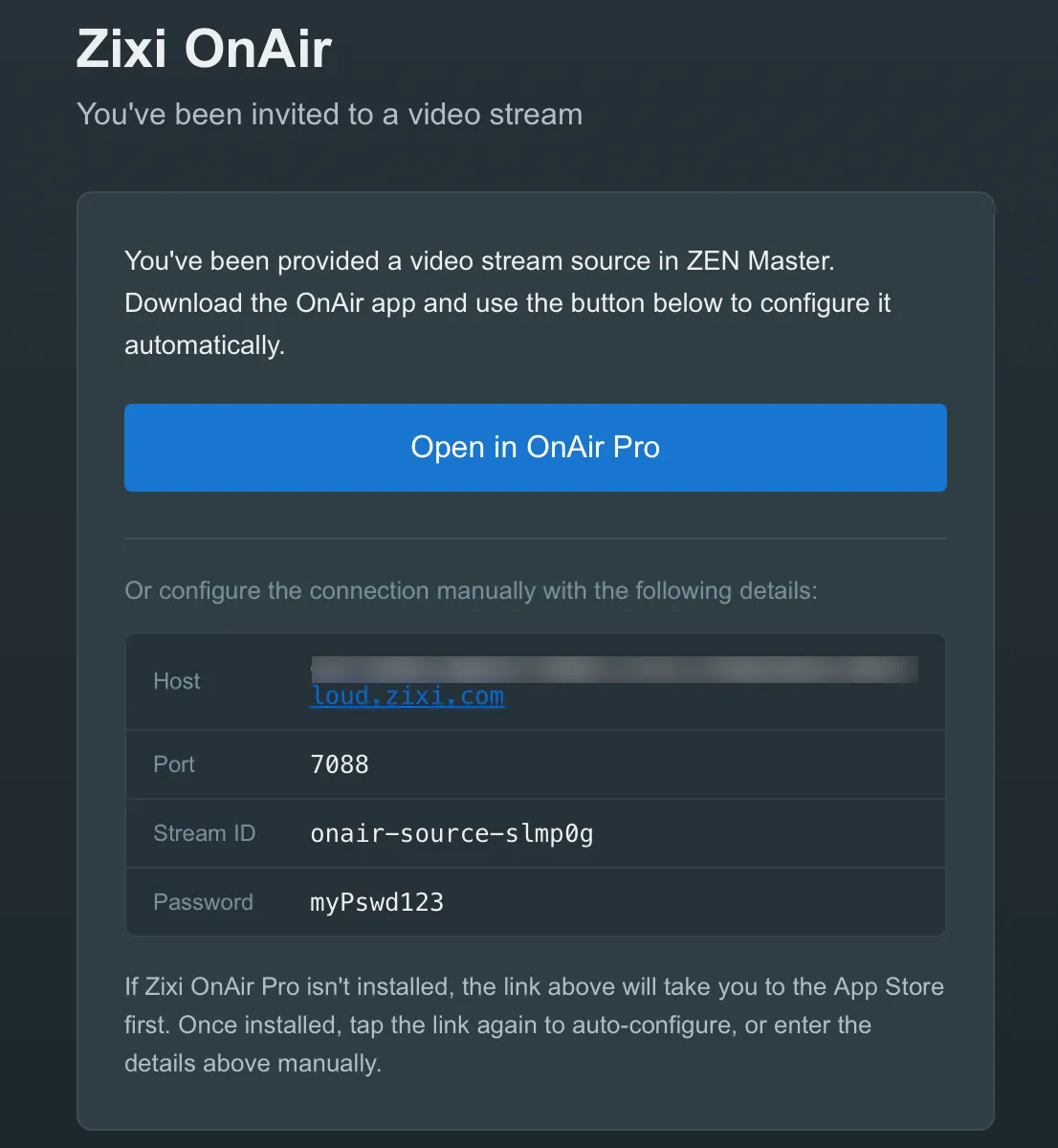
Open the email from [email protected] or [email protected]
In the email, click the Open in OnAir Pro button.
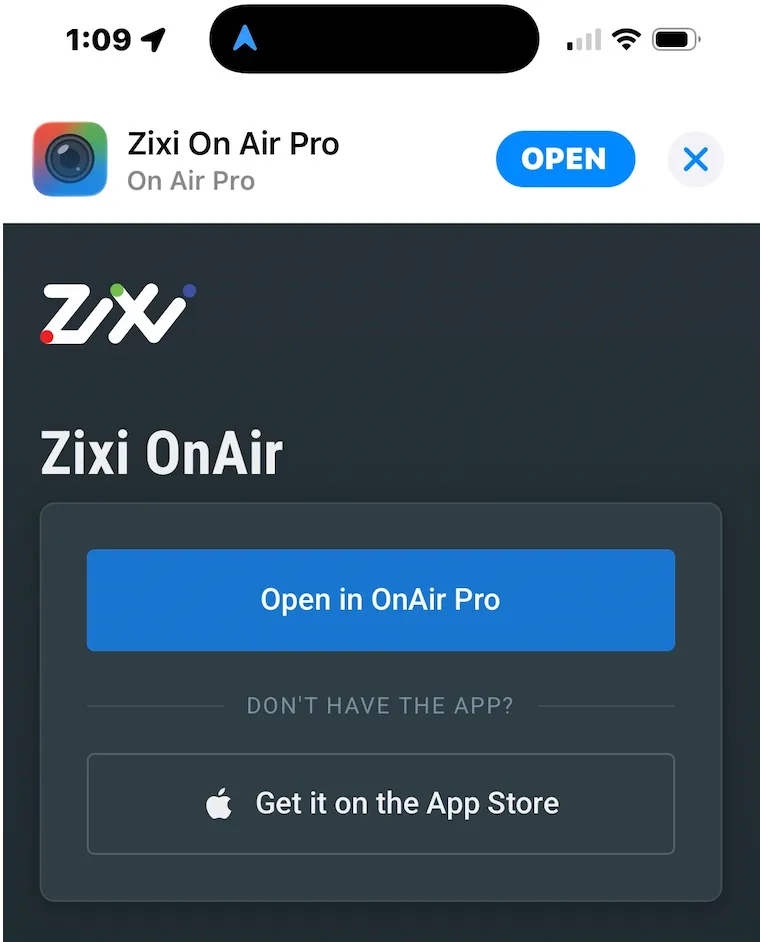
Once you tap the button, you will be directed to a Zixi landing page, where you can either open the OnAir Pro app or get the app from the App Store.
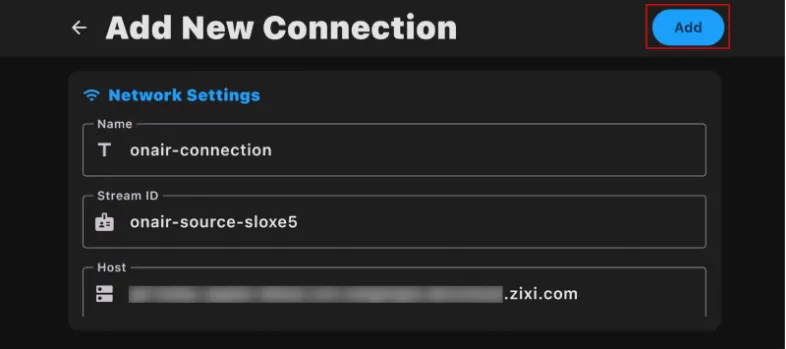
In the OnAir Pro app, go to Settings > Connections, tap + and fill in the following fields:
- Stream ID
- Host
- Port – You can use either:
- 2088 – Non-encrypted
- 7088 – Protected by DTLS
- Password (If you entered one)
Enter the following:
- Name – Connection name
- Ignore DTLS Certificate Errors – Turn on to enable
- Required with port 7088 and a fully qualified domain name
Tap Add.
Start Streaming
In the On Air Pro app, navigate back to the camera.
Tap the red (record) button to start streaming.
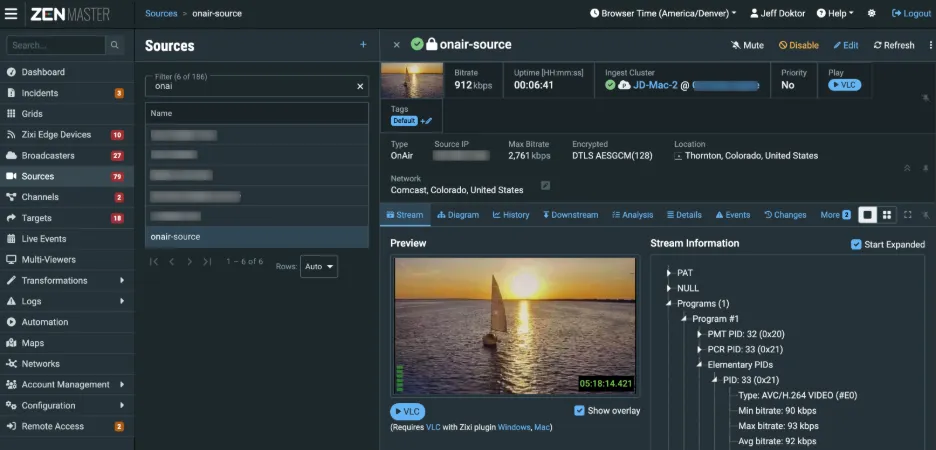
In ZEN Master, you should now see your stream details.