Installing OBS Studio for Zixi
The OBS Studio integration consists of a fork of OBS Studio and a Zixi Feeder plug-in. Both are available for the Windows platform, and can be downloaded from the Zixi Customer Portal. To use OBS with Zixi as an option you are required to install both.
If you already have a version of OBS installed from a location outside of our portal you will need to uninstall this before following the steps below.
In addition, OBS studio requires the installation of Visual Studio Runtime.
To install OBS Studio:
Go to https://portal.zixi.com/self-registration/OBS_STUDIO_ZIXI_FEEDER. The Create Account window opens.
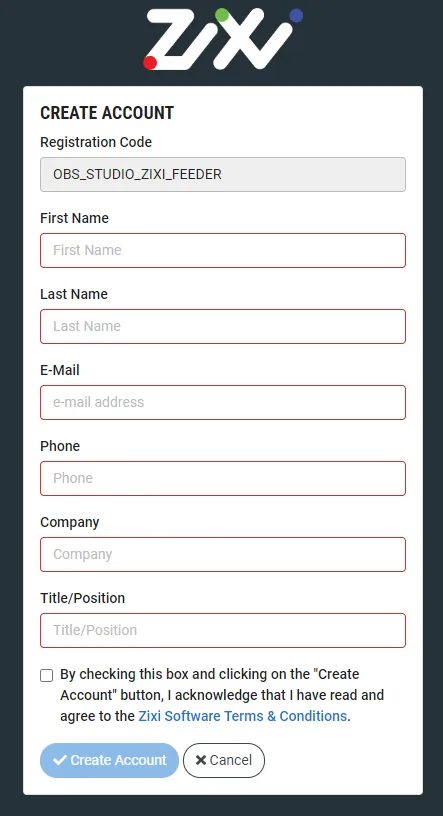
Fill in your details and then click Create Account. The Zixi Customer Portal window is displayed.
In the main menu, click Software, and then click the links to download OBS Studio with Zixi Integration and Zixi Feeder for OBS Studio.
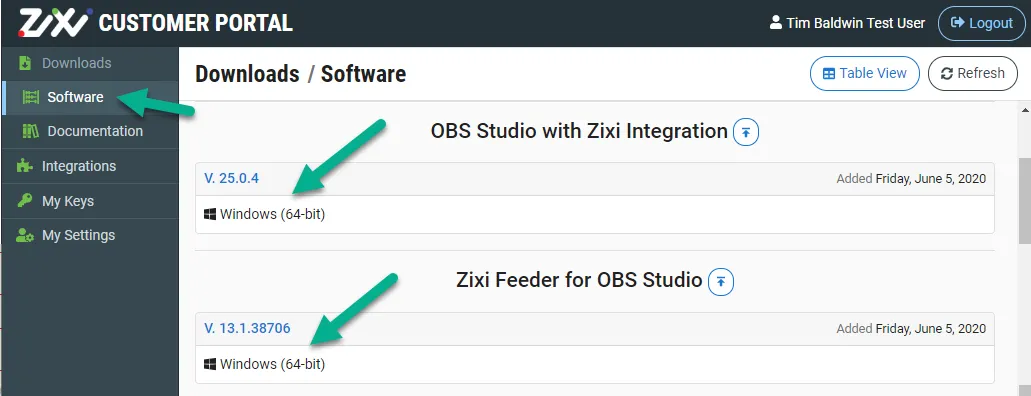
On your desktop, first install OBS Studio with Zixi Integration.
Then, install the Zixi Feeder for OBS Studio plug-in.
If you have already installed OBS Studio with Zixi integration but do not yet have the Zixi Feeder plug-in, you can install it through OBS Studio.
Click on Help > Download Zixi Support. This will take you to the Customer portal mentioned above.
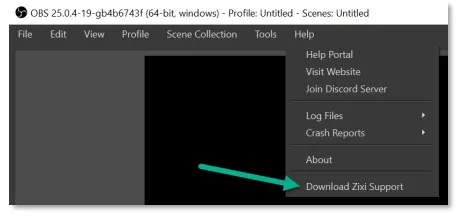
Exit OBS Studio and restart OBS Studio.
If all has gone correctly you will see Zixi Broadcaster listed in Settings > Stream > Service. See example.
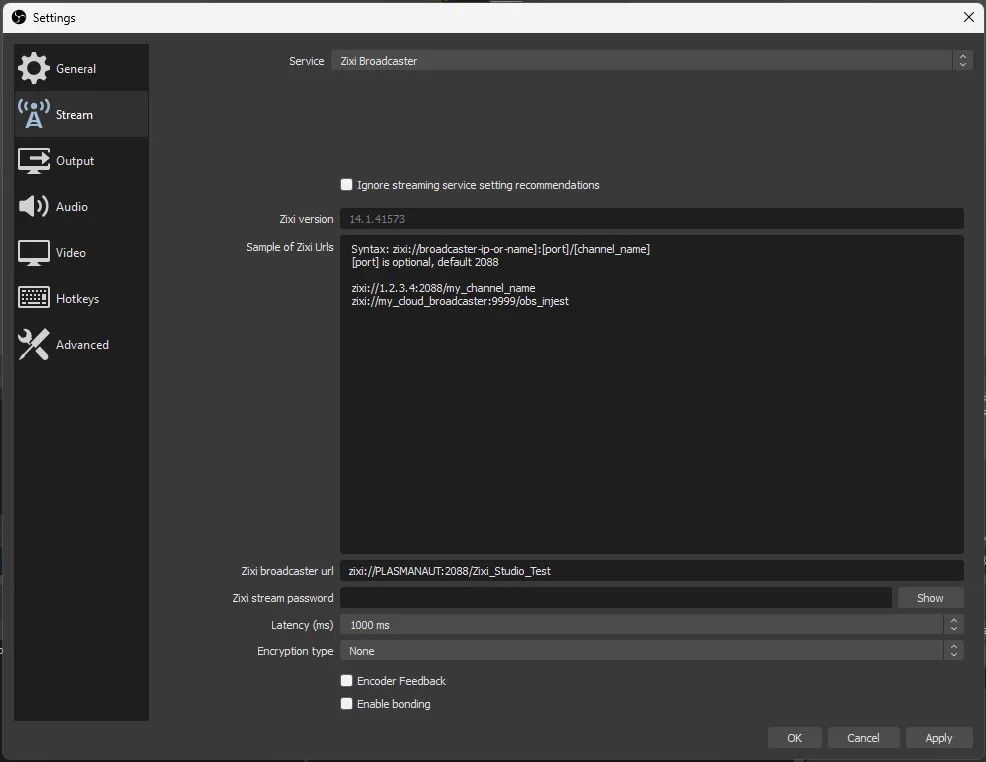
When running OBS if you receive an error regarding the VC runtime not being found, install the Visual Studio runtime available at https://obsproject.com/visual-studio-2017-runtimes.