Server Settings
1 min
Zixi Broadcaster is preconfigured with default settings, so generally, there is no need to change the server settings. However, some users may want to change specific settings to meet their specific needs.
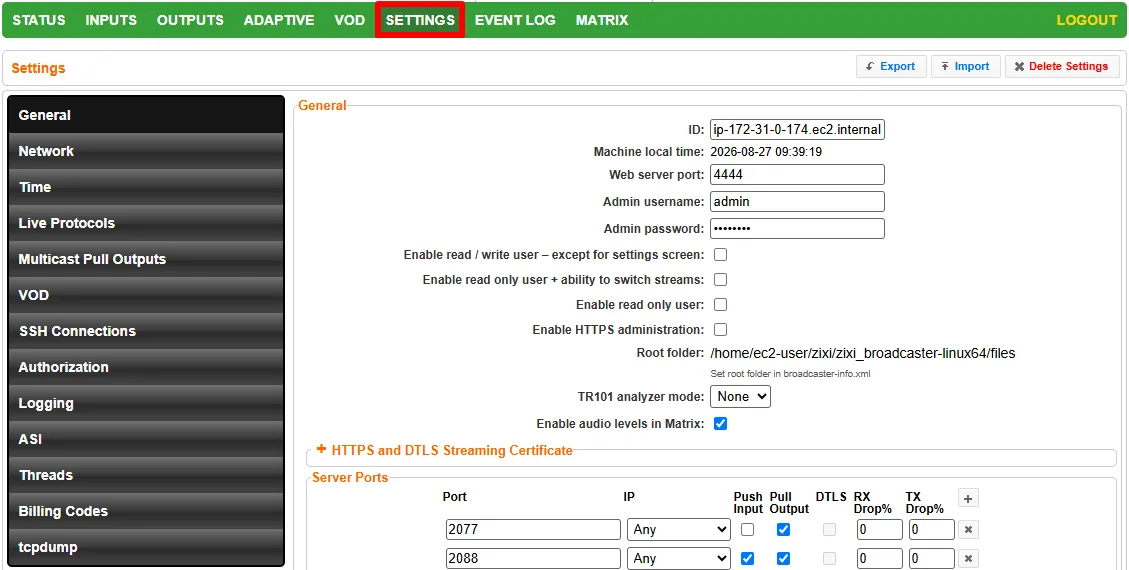
At the top right of the Settings screen, you can manage your overall configuration using the following buttons:
- Export - Downloads the current Broadcaster configuration, allowing you to back up your settings or easily migrate them to another Broadcaster instance.
- Import - Uploads a previously saved configuration file to apply those settings to the server.
- Delete Settings - Clears custom configurations and restores the server to its default state.
Note that, depending on the hardware and platform of the system Broadcaster is installed on, some settings may be hidden as not applicable.
- General
- Network
- Time
- Cluster
- Logging
- ASI
- Threads
- TCPDump