Upgrade a broadcaster through ZEN Master
1 min
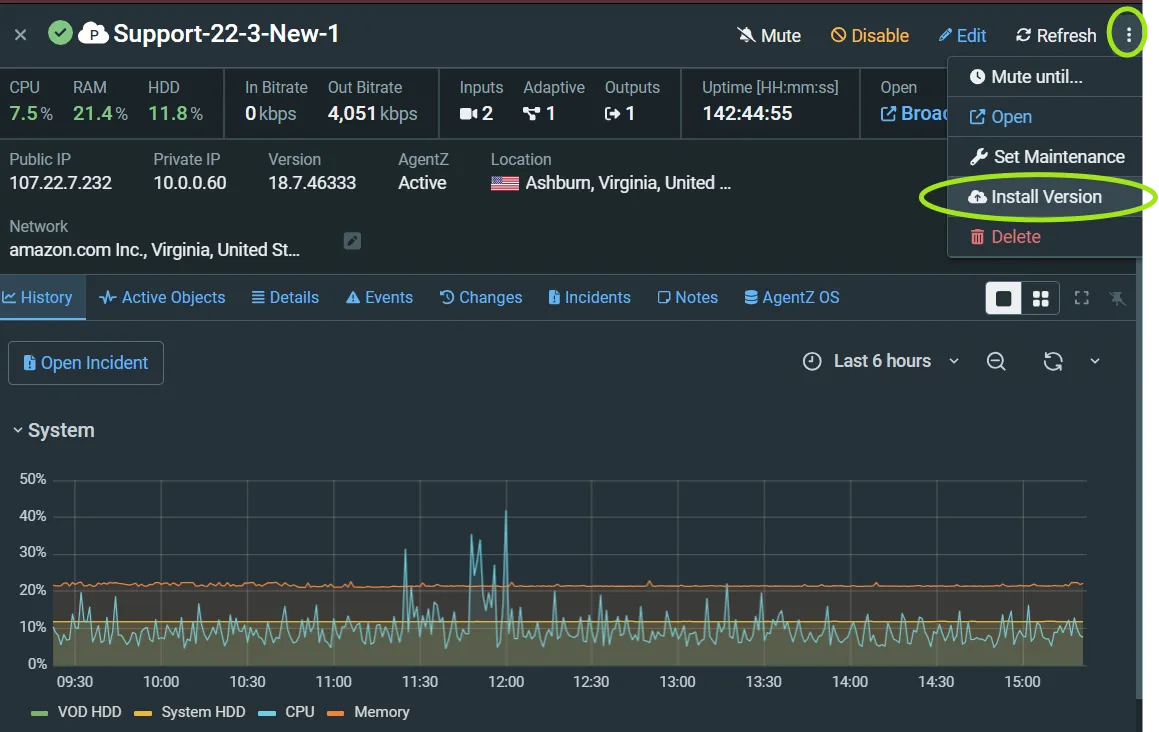
- Locate your broadcaster within ZEN Master
- Select the dropdown from the "More Actions" menu (three dots)
- Select "Install version"
- Select the version you wish to upgrade to in the "New Broadcaster Version" selection box
- Click "Install"
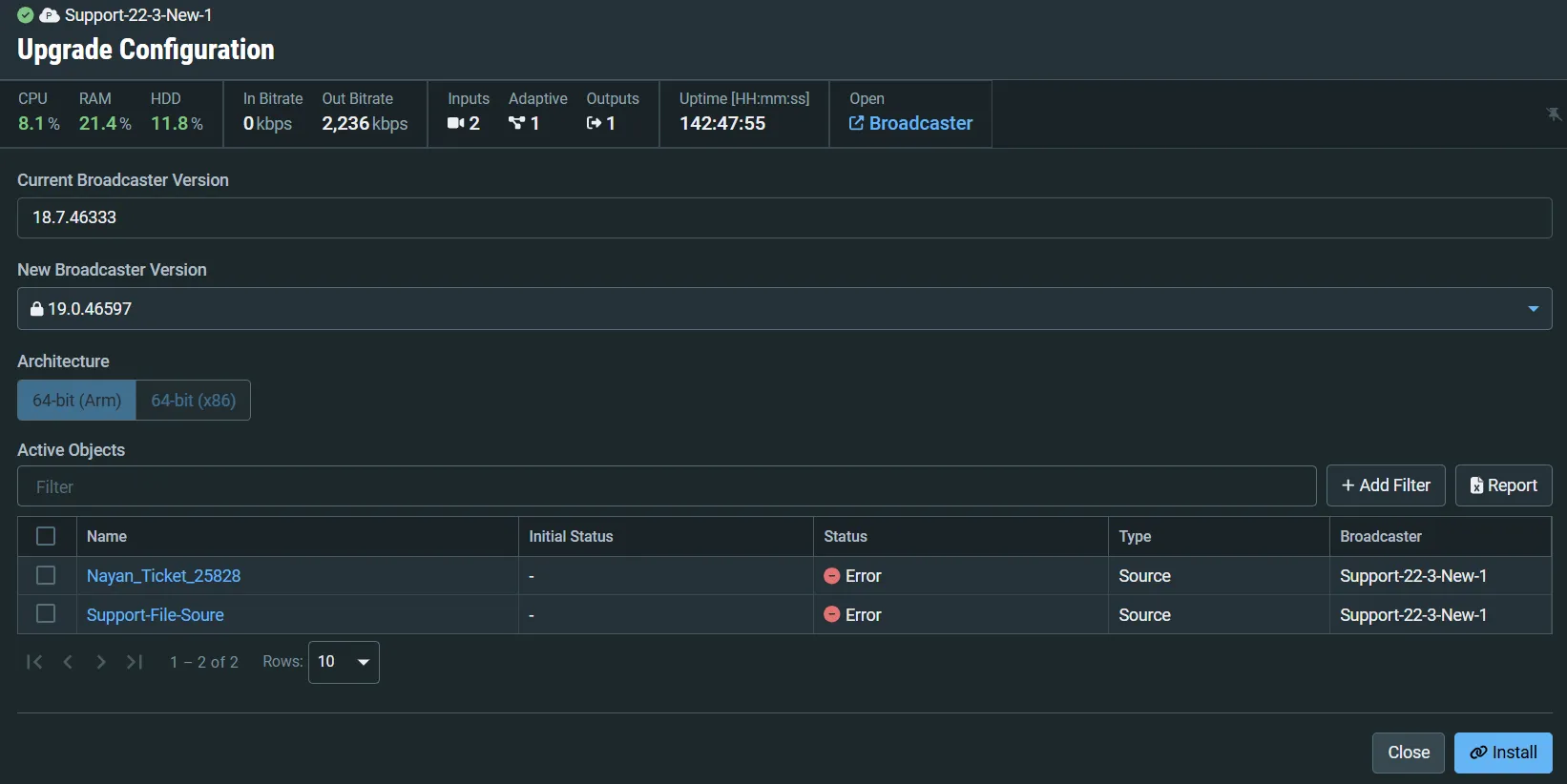
Upgrade configuration window screenshot
Please note: this process includes an automatic restart of the broadcaster
- ZEN Master will go ahead and install the new version of the broadcaster, reload your configuratio and restart the braodcaster.