"Compression Error"
1 min
ERROR
A "Compression error" means the receiving side failed to decompress a packet. (If the compressed size of a packet is greater than or equal to the original, the sender transmits the original uncompressed packet instead.)
A common upstream cause is a decryption/key mismatch, if a packet can't be decrypted correctly, the following decompression step fails, but corruption, spiky traffic, or too-tight max-bitrate headroom can also trigger it.
RESOLUTION
- If the stream is encrypted, check/troubleshoot the encryption (key) settings on both ends. Some known cases were resolved in v16.0 and later — test on a current stable version.
- UDP source: open advanced settings (add ?advanced=1 to the Broadcaster URL) and toggle compression off/on, restarting the stream after each toggle.
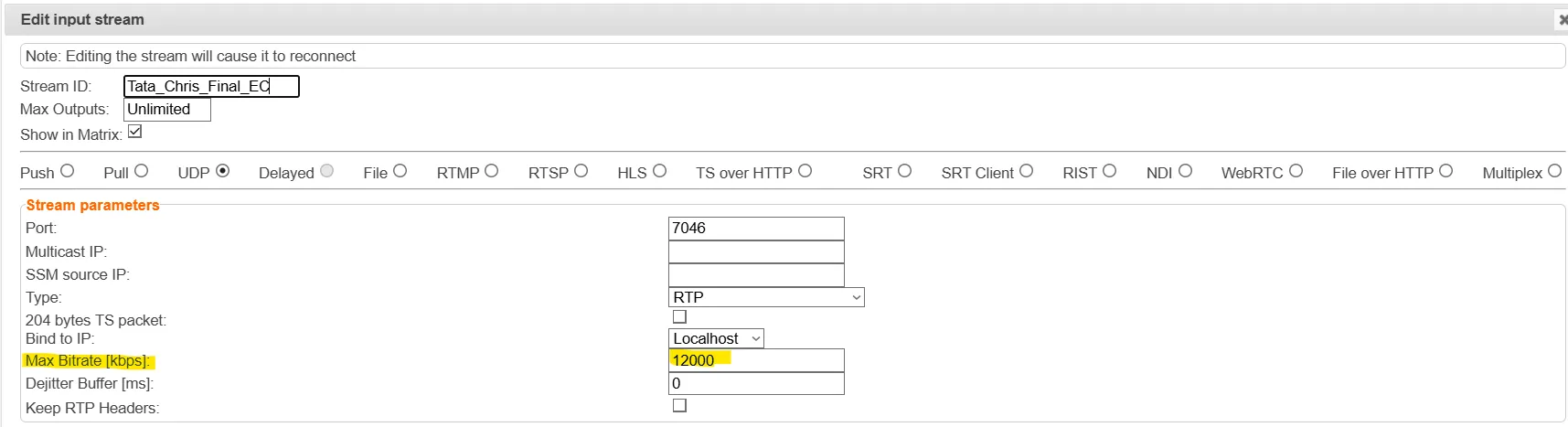
- UDP/SRT input: check the max bitrate on the input (in Broadcaster or ZEN Master) and increase headroom if traffic is spiky. Max bitrate should be 1.5–2× the stream bitrate — e.g. for a 9 Mbps stream, at least 13.5 Mbps, ideally 18 Mbps.