Adding ST 2110 JPEG XS Targets
JPEG XS targets are supported only on Flows that have a CDI or JPEG XS Source. You can configure an AWS MediaConnect "Flow" that has already been set up in your MediaConnect account to be used in the JPEG XS Target in ZEN Master.
In order to use this feature, you must first link ZEN Master to an AWS account, see Linking an AWS Account
The following procedure describes how to add an JPEG XS Target in ZEN Master. In addition, an explanation of each of the configuration parameters is given in the table below.
To add a new JPEG XS Target:
In the main navigation, click Targets.
Click + Add. The Create New Target window is displayed.
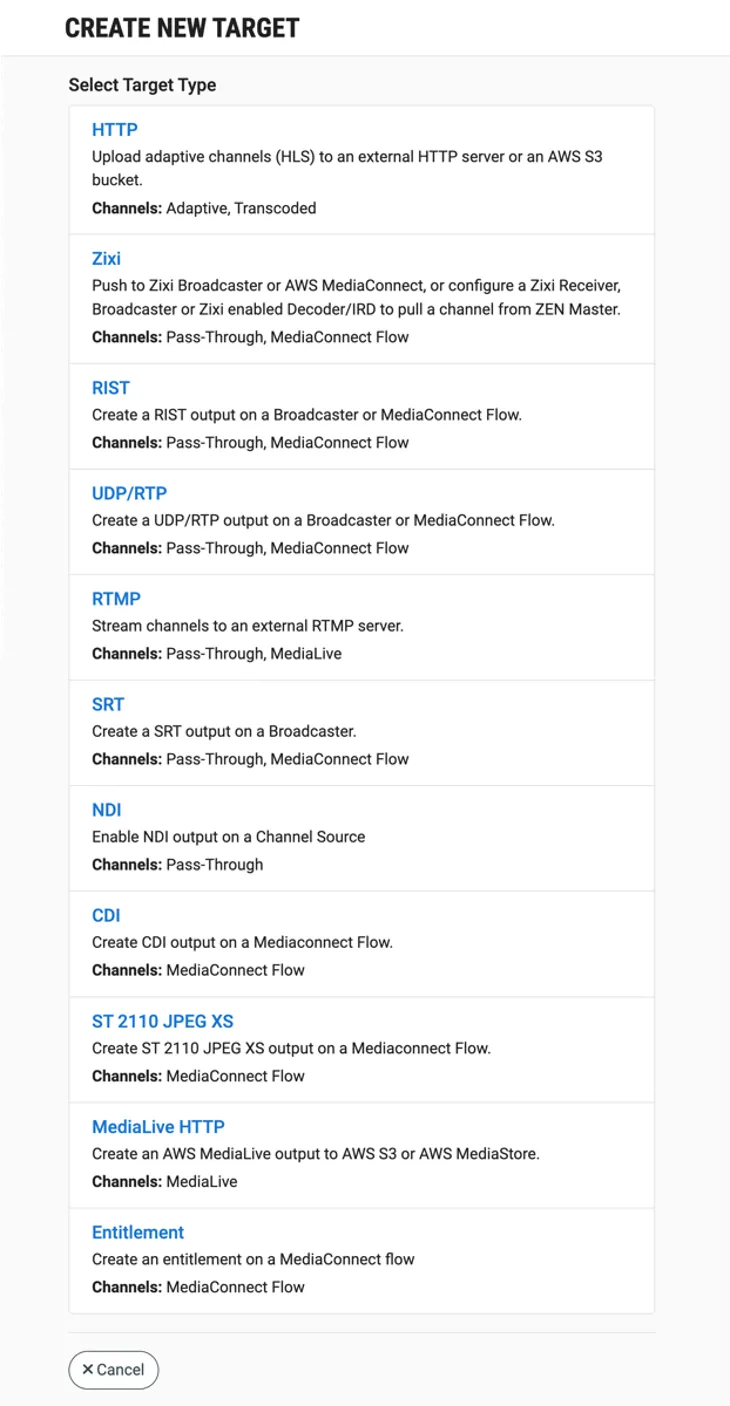
Click on JPEG XS. The Create New JPEG XS Target window is displayed.
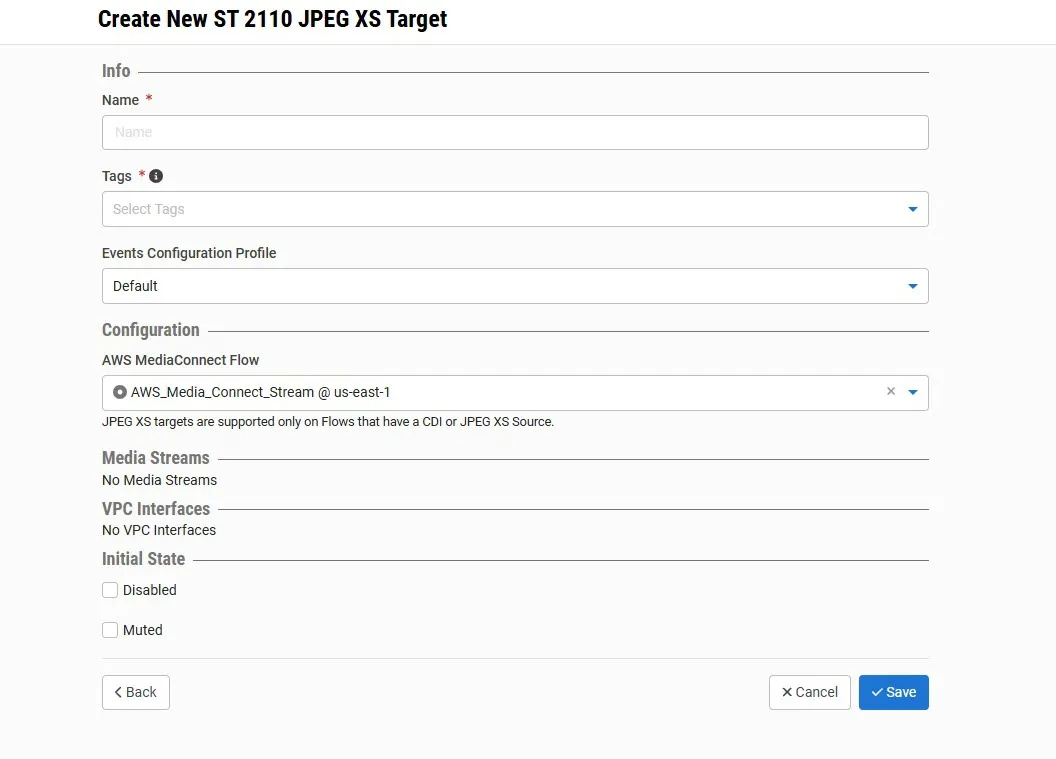
In the Info section, in the Name field, enter a logical name for the JPEG XS target.
In the Tags field, select one or more of the predefined Tags from the drop-down list. Tags are used for access control. By selecting a Tag you are relating this target to that Tag. Tags are associated with certain roles (through the Users & Roles screen), and roles, in turn, are associated with users and user groups. If you would like to create a new Tag, see Creating a Tag .
In the Events Configuration Profile field, select from the dropdown list the profile that you would like to apply to this Target. By default, the Default profile is applied.
Events Profiles consist of a series of rules that determine precisely how various types of Events are logged and what results they trigger.
Under the Configuration section, in the AWS MediaConnect Flow field, select from the drop-down list a MediaConnect Flow that have an EFA VPC interface with a CDI or JPEG XS Source.
In the Initial State section, select the Disabled checkbox if you would like to disable this Target upon initial configuration.
Select the Muted checkbox if you would like to disable error/recovery notifications for this Target upon initial configuration.
You can Enable/Unmute the Target at any time.
Click Save.
JPEG XS Target Configuration Parameters Table
Parameter | Description |
|---|---|
Info | |
Name | Specify a name for the NDI Target in ZEN Master. |
Tags | Select one or more of the predefined Tags from the drop-down list. Tags are used for access control. By selecting a Tag, you are relating this Target to that Tag. Tags are associated with certain roles (through the Users & Roles screen), and roles, in turn, are associated with users and user groups. If you would like to create a new Tag, see Creating a Tag. |
Events Configuration Profile | Select from the dropdown list the profile that you would like to apply to this Target. By default, the Default profile is applied. Note: Events Profiles consist of a series of rules that determine precisely how various types of Events are logged and what results they trigger. |
Configuration | |
MediaConnect Flow | Select from the drop-down list a MediaConnect Flow that have an EFA VPC interface with a CDI or JPEG XS Source. |
Initial State | |
Disabled | Select this checkbox if you would like to disable this Target upon initial configuration. |
Muted | Select this checkbox if you would like to disable error/recovery notifications for this Target upon initial configuration. |