Source Diagram
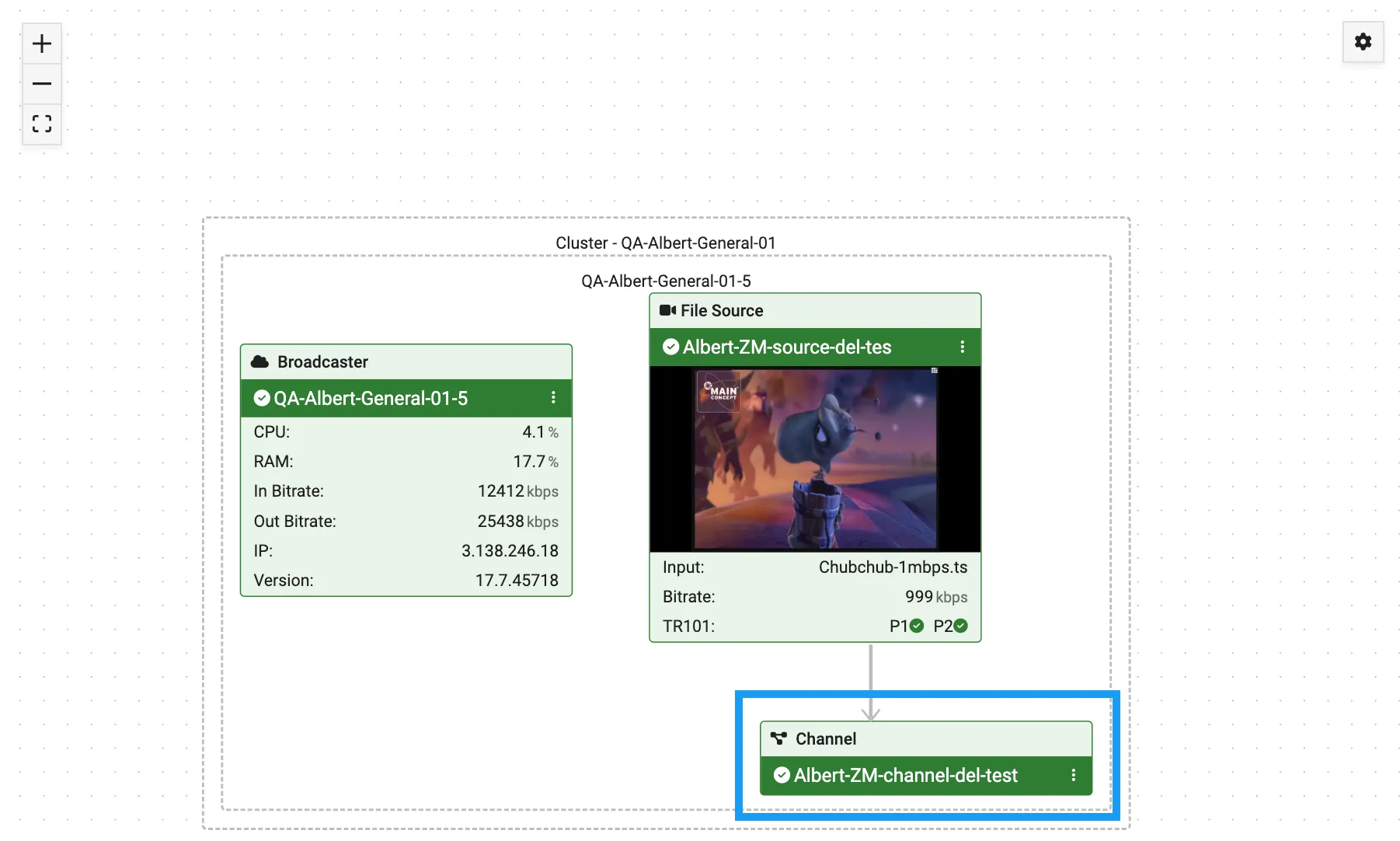
This section shows a schematic diagram that displays all resources (ZEC, Broadcasters, and Receivers) and system objects (Sources, Channels, Targets) that relate to this Source and the relationships between the various elements. The diagram also shows relevant data about each object as well as its current status.
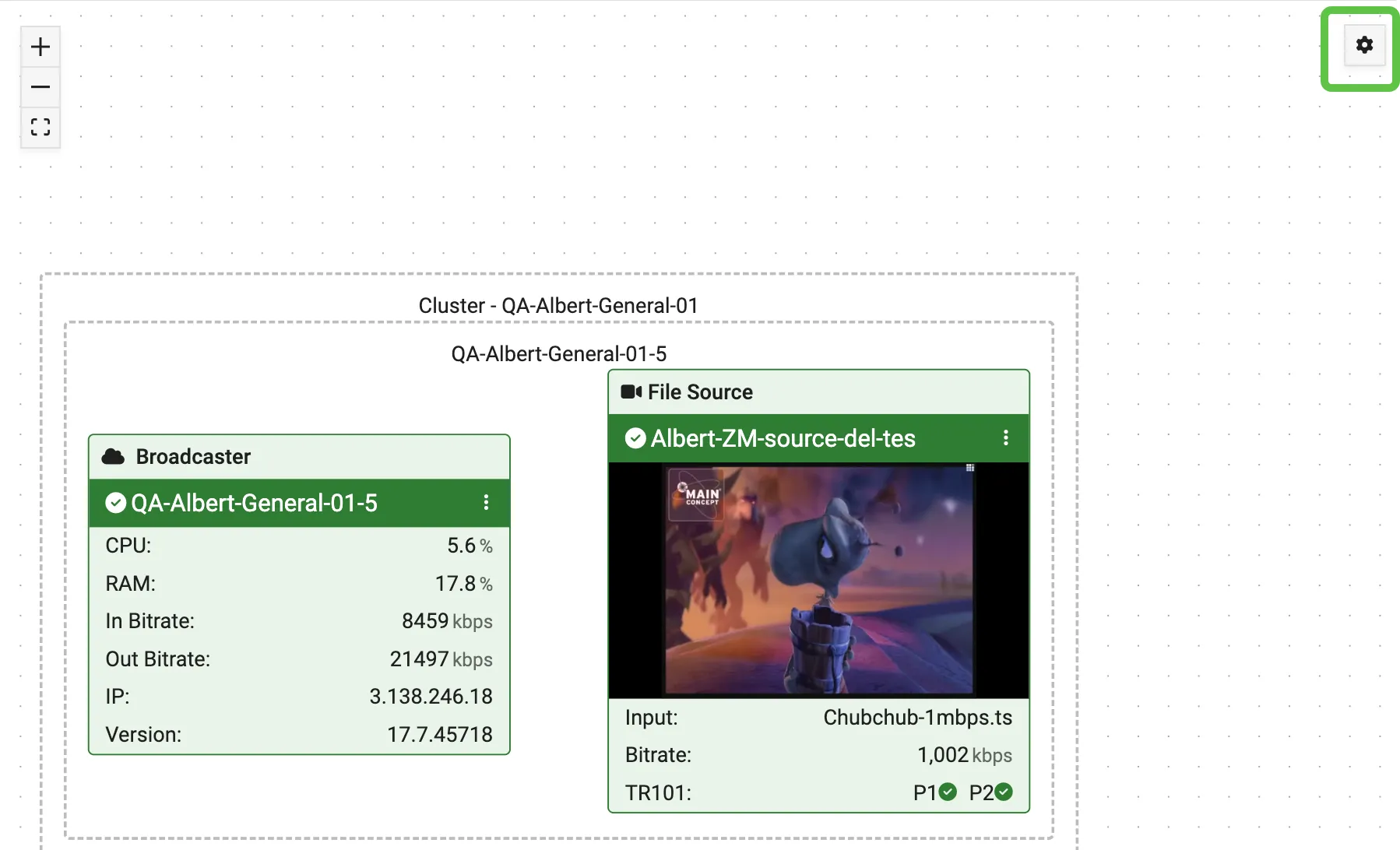
Only objects for which you have viewing permission are shown in the diagram. When an object that you are not authorized to view fills an essential role in the flow, then the object is shown with basic info but without detailed data.
Action Menus
Gear Menu
Click the ⚙️ icon in the upper right corner of the diagram to reveal a menu that allows you to add downstream objects to the diagram:
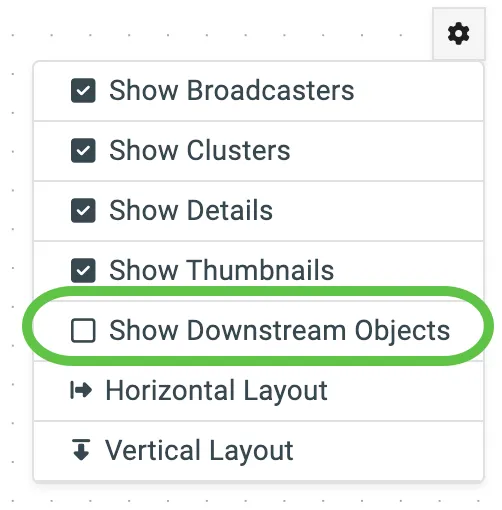
Select the Show Downstream Objects checkbox to display downstream objects:
Kabab Menu
To the right of each object name in the diagram, there is a kabab icon you can click on to reveal a context menu for that object:
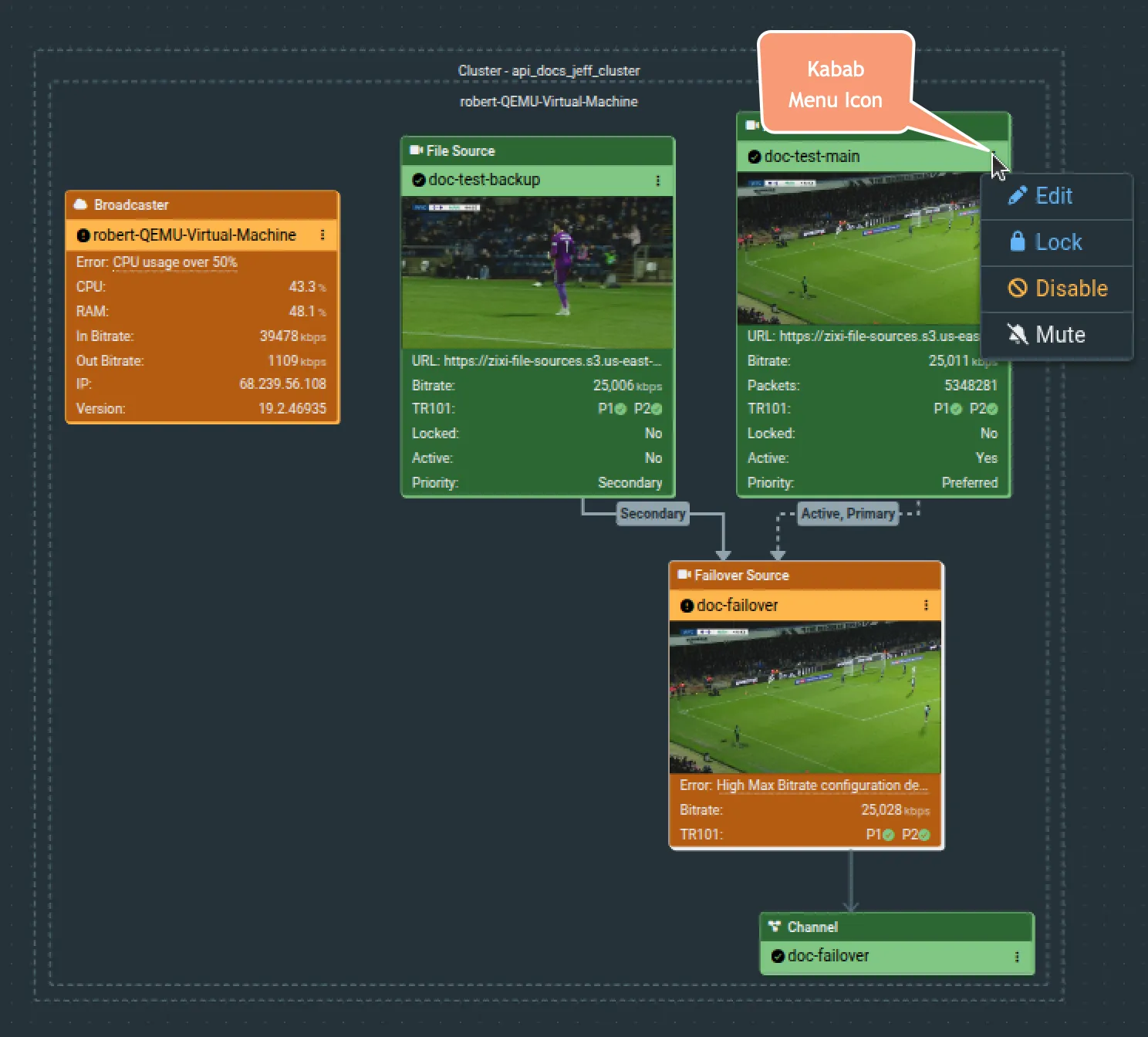
Note that the items in the menu will change according to object type. The example shown above is the context menu for a source in Failover Source and includes an option to Lock (or Unlock) the source, as well as Edit, Disable, or Mute it.