Connecting an Unmanaged Pull Target
2 min
If you have added an Unmanaged Pull Target (by selecting Other as the device type), then you will need to configure the Zixi-enabled device in order to connect it to ZEN Master. The UI structure varies for different Zixi-enabled devices, however the following settings should be configured to connect to ZEN Master.
For a Dynamic Target, you can use the same Configuration data for each Receiver (or decoder) that you would like to connect to the Target. Each Receiver must have a unique ID.
To connect a Zixi-enabled device:
- In ZEN Master, in the main navigation, click Targets.
- Select the relevant Target from the list of Targets.
- In the Info pane on the right side of the screen, select More Actions > Config.

- The following configuration dialog is displayed. This dialog contains specific configuration settings for the selected target. Use the values shown for the following parameters to configure the Zixi Enabled device:
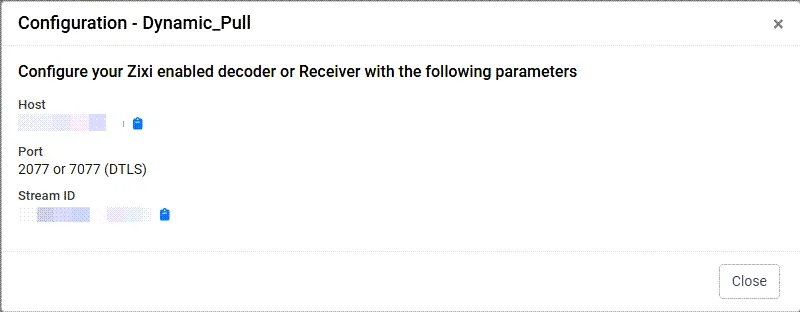
Parameter | Description |
|---|---|
Host | The IP address/URL of the ZEN Master host. |
Port | The port that has been configured in ZEN Master. |
Stream ID | The stream name. |
Password | The access password that has been configured in ZEN Master. |