ZEN Master 7 Apr 2026 Release
The following updates will be included in the ZEN Master release for April 07th, 2026.
Features
The following new features were implemented in this release:
Live Events Timeline View
This update introduces the timeline view for Live Events. The view allows operators and control room managers to see a look-ahead of upcoming events.
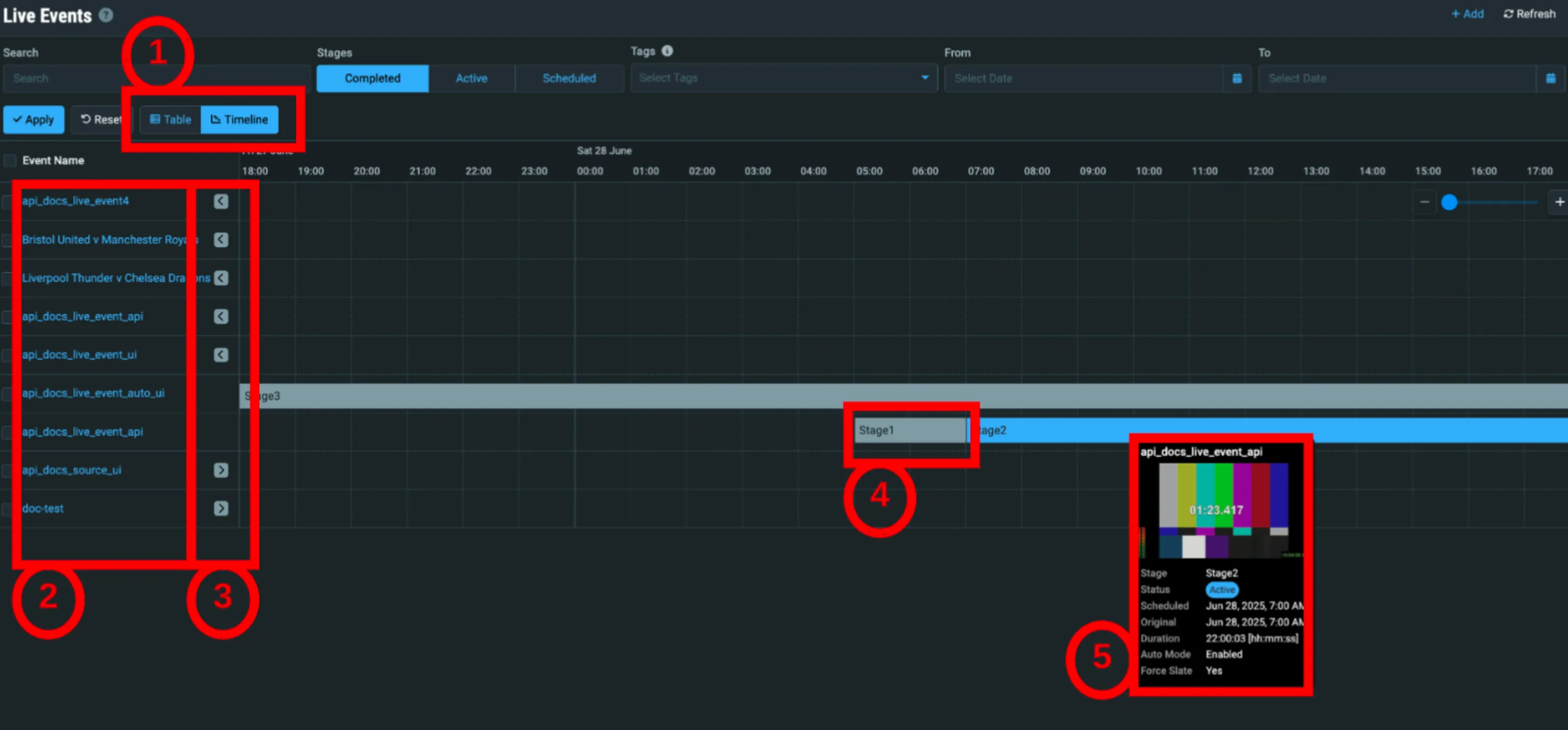
- When toggled to the timeline view, events are visualized in a linear timeline, each row showing an event broken into its chronological stages.
- Events are stacked on the left.
- The arrow will take the user to the start of events that are offscreen.
- Stages will begin at their corresponding time.
- The hover over will show further details and, if available, a thumbnail of active stages.
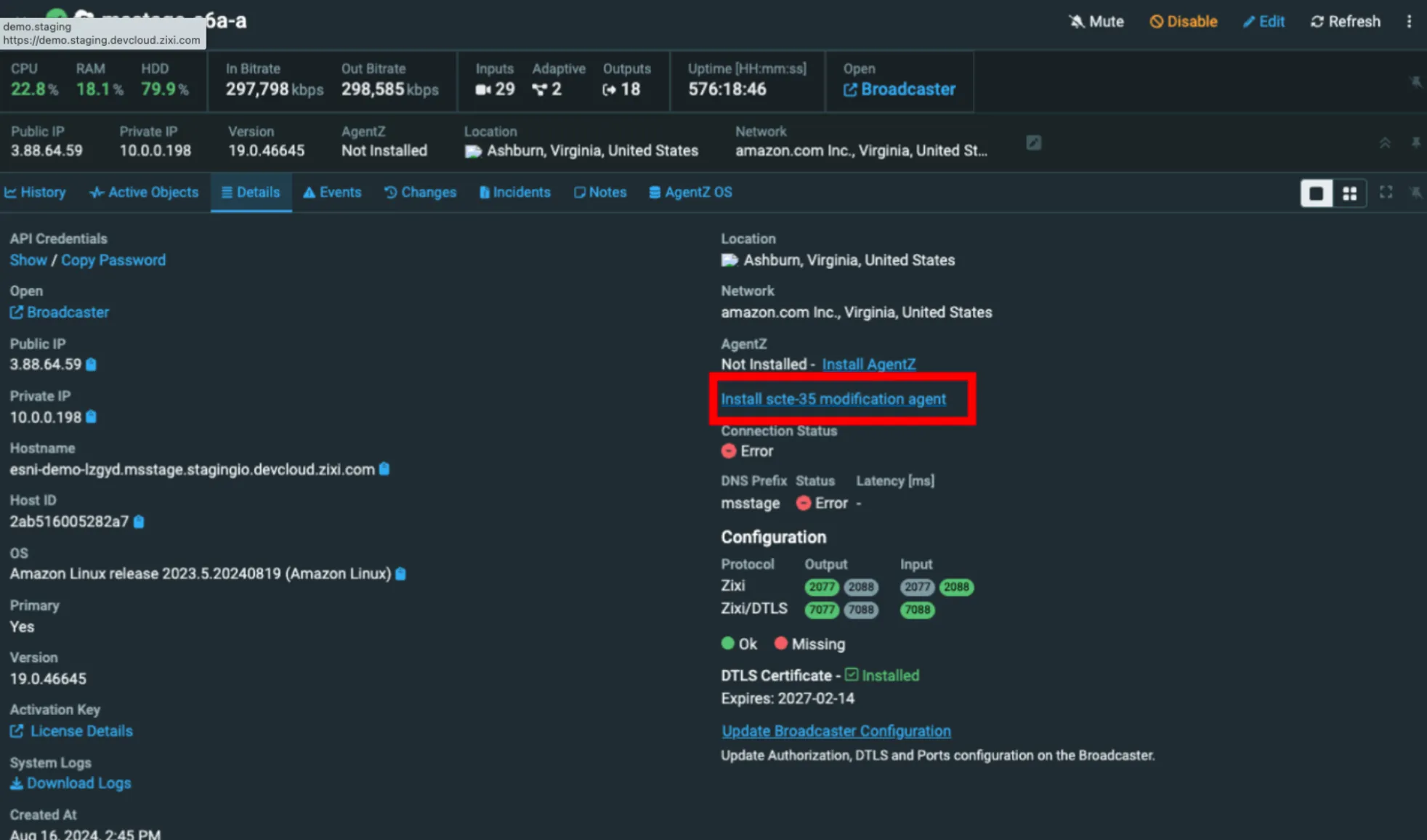
SCTE-35 Modification Agent Install from ZEN Master
Note: This feature is a module addition. Please speak to your account rep for more information.
ZEN Master adds the ability to install a SCTE-35 Modification Agent directly from ZEN Master.
Improvements and Changes
The following additional improvements and changes were implemented in this release:
SCTE-35 Modification Enhancements
The following features collectively expand ZEN Master's SCTE-35 capabilities:
- Added an option to convert triggering messages to TimeSignal (type 6) messages with descriptors.
- Added an option to set PTS based on the triggering SCTE-35 PCR.
- Added the ability to create time-delayed messages — for example, to convert and auto-return a return signal.
- Removed the irrelevant "Remove Existing SCTE-35" option from the Target SCTE-35 Manipulation section.
Error/Alert History Banners
Warning and error alert banners now display the last 2 hours of history for each alert.

Failover Channels Deprecation
- Failover Channels are now hidden.
- Failover Sources are updated to support migrating existing Failover Channel users.
- Tech leads will work with customers to ensure a seamless experience.
HEVC Software Transcoding
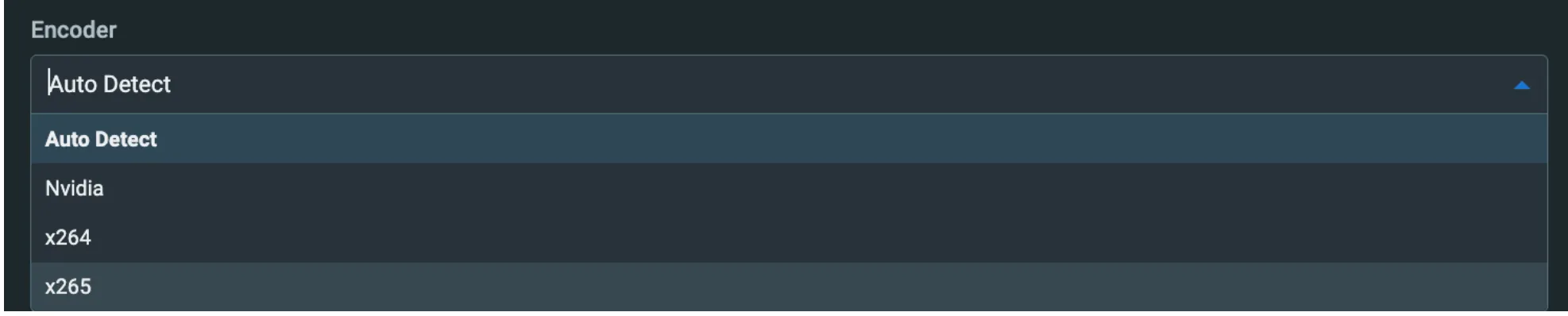
- Added support for HEVC/UHD software transcoding using the x265 library.
- Software Transcoding is applied if the instance has no NVidia hardware, or the user selected software in sources or channels.
Retain Elastic IP on EC2 Restart
Where possible, ZEN Master will now retain the Elastic IP (EIP) assigned to an EC2 instance after it has been terminated and spun back up.
Show Active Source Name on Target Thumbnail Grid
The currently connected ZEN Master Source name is now displayed on the Target thumbnail grid.
Disable Source on Live Events with Failover Sources
Added the ability to disable a Source on Live Events that use Failover Sources.
Streamlined Filters UI
- Improved filters UI on pages such as Live Events and Events/SCTE-35 logs.
- Streamlined filters and cleaner UI.

S3 Output for AWS SSM Run Command
- Added an S3 output option to the AWS SSM Run Command feature.
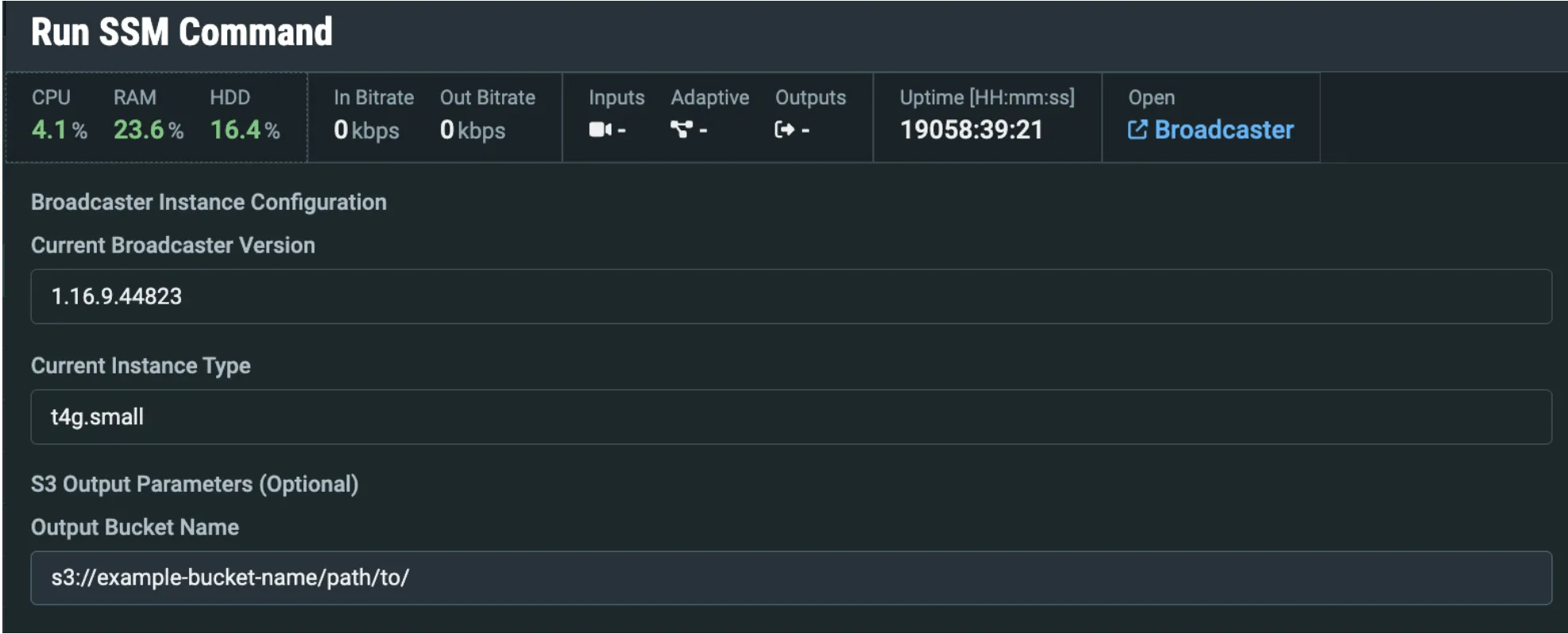
- AWS SSM Commands can already be launched from the ZEN Master UI, and the output tail end is displayed to the ZEN Master UI.
- As of this release, a bucket can be provided as a target to write the entire output for historical details or further investigation if an issue occurs.
HLS Source – Remux & Target Bitrate Settings
Added support for Platform capability to Remux HLS to MPEG-TS and Target Bitrate settings to HLS Sources.

Add Event Profile Change to Events Log & Kafka
Event Profile Changes are now tracked in the Events Log and published to Kafka.
AWS Amazon Linux 2023 AMI
- ZEN Master now uses the latest AWS Amazon Linux 2023 AMI for non-Nvidia EC2 instances.
- ZEN Master will launch or replace standard instances using the latest valid AWS Linux version.
- New or replacement Nvidia instances continue to use the internally managed AMI.
ESNI & ESAM
The following updates were implemented for ESNI and ESAM:
ESNI
ESNI Metadata Options for Schedule View
Added the option to use metadata info for schedule simulation and custom descriptions in the ESNI schedule view and mediapoints table.
ESNI Switching Performance Improvement
ESNI switching now performs a single Broadcaster scan per external ID instead of per Target, making switching a large number of Targets significantly faster.
ESNI UI Enhancements
Improved clarity of hover popups and added more detail in ESNI UI popups.
ESAM
ESAM Agent POIS Mode – UtcPoint Support
Added UtcPoint support to the ESAM agent POIS mode.
API Additions and Changes
ZEN Master API documentation updates for the following sections.
Technical Reference:
For detailed field change technical reference, see the accompanying document: ZEN-Master-API-Updates-Reference-2026-04-updated0331.csv.zip — found in the Zixi Customer Portal.
New API Endpoints
Clusters, Broadcasters
Created a new Terraform Cluster management type and related API endpoints. These endpoints will be used by cloud service deployments when using Terraform.
- POST /clusters/terraform/{clusterId}/broadcasters (new)
- GET /broadcasters/{broadcasterId}/access_key (new)
- GET /broadcasters/{broadcasterId}/config (new)
- GET /broadcasters/{broadcasterId}/installer (new)
- GET /broadcasters/{broadcasterId}/license (new)
API Field Additions/Updates
Access Keys
- Added rsa_private for GET responses.
- Exposed SSH tunnel private key for automation support (ZM-generated keys only).
Broadcaster, Feeder, Receiver, Remote Access, ZEC
- Added tunnel_hostname for GET responses).
Live Events
- Renamed disable_channel_after_done to disable_after_done .
- For backwards compatibility, disable_channel_after_done still exists.
Sources HLS
- Added remux_hls
- Target bitrate is only relevant if remux_hls is enabled.
Targets
- Removed scte35_remove_existing. No longer needed for SCTE-35 manipulation.
- Applies to: RIST, RTMP, SRT, UDP/RTP, Zixi Pull/Push.
New API Functionality
Global
- Normalized filters and pagination on all API List endpoints. Functionality was previously released; QA finished in this sprint.
API Keys
- Fixed PUTs returning 200 OK when API key has read-only permissions on object. Create, Update, Delete will now return 403 Forbidden.
Channels, Sources
- Added x265 option to encoder selection. Supported for Transcoded Channels and Sources.
Failover Sources
- Fixed an API validation issue that could allow a user to inadvertently break a Failover Source/Channel configuration.
Sources
- Source stream_id is now a configurable parameter when creating a Source.
API Documentation Updates and Changes
Clusters (AWS)
- Set ami_id as optional. It should not be specified unless the user is providing their own AMI.
Channels (Failover)
- Added a note that Failover Channels are deprecated. Instead, create a Failover Source and Pass-Through Channel.
Targets
- Added termination_protection.
- Applies to: HTTP, RIST, RTMP, SRT, UDP/RTP, Zixi Pull/Push.