Bitrate above configured maximum - Update source configuration with a higher value
ERROR
"Bitrate above configured maximum - Update source configuration with a higher value"
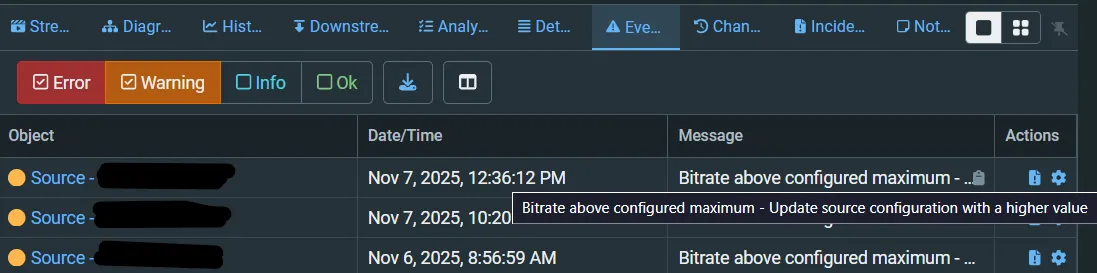
ISSUE
ZEN Master raises this warning when an input receives more packets than its Max Bitrate allows. Resent (ARQ) and FEC packets are not counted, so the stream itself is arriving faster than the setting. This usually happens when Max Bitrate is set close to the feed's average rate and the feed bursts above it.
RESOLUTION
On a Zixi input, Max Bitrate sizes the buffer the Broadcaster uses to recover lost packets: enough packets to cover the latency, or 1 second if the latency is shorter. It does not cap the stream. If the feed runs above it, that buffer overflows and the extra packets count as not recovered.
Set the input's Max Bitrate to about 1.5 times the feed's average rate. For a 20 Mbps feed, set 30 Mbps. Max Bitrate is in the input's advanced settings: add ?advanced=1 to the Broadcaster URL. In the API the parameter is maxbr. See Sizing latency, buffer and max bitrateSizing latency, buffer and max bitrate.
Do not set it far higher than needed. If Max Bitrate multiplied by the latency needs more than 524,288 packets, about 5.5 Gbps for each second of latency, the input reports "Max bitrate times latency too high".
If the stream shows no not-recovered packets while this warning fires, you can turn the warning off in the input's event profile.