ZEC Switching Input
1 min
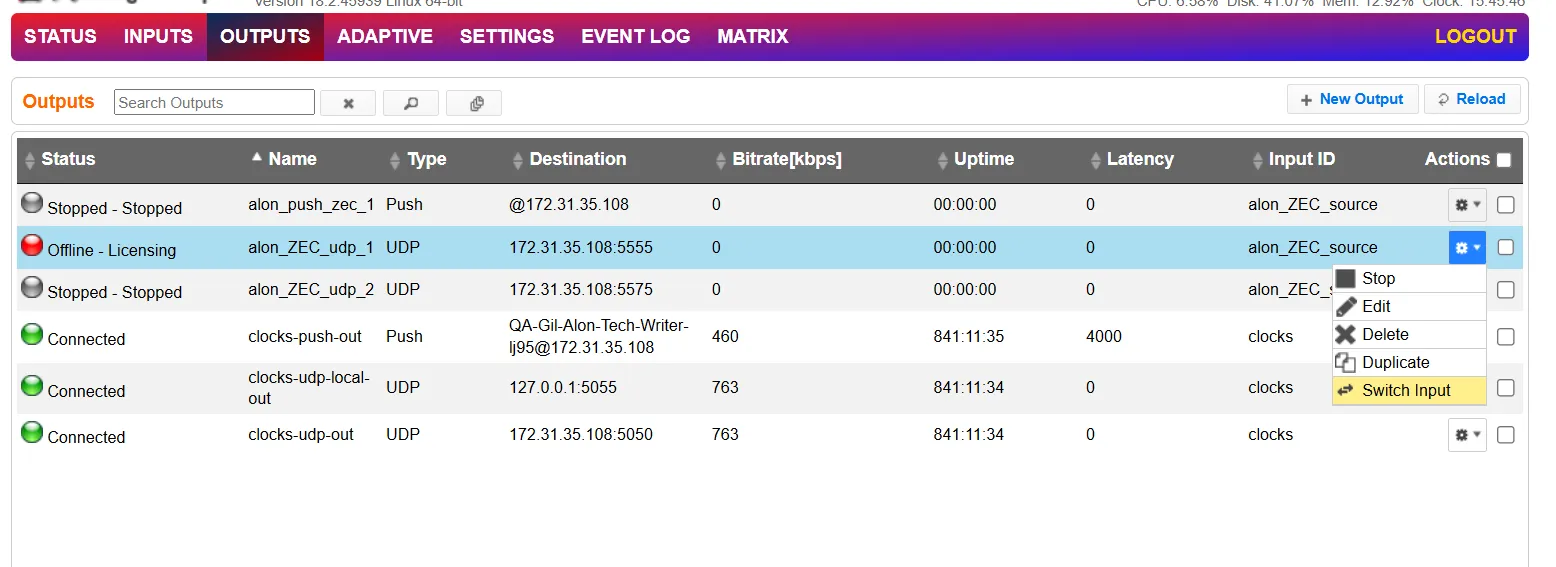
To change the input associated with the selected output:
In the ZEC Outputs page, click the gear Action button and select Switch Input.
The Switch source window is displayed.
In the New Input drop-down, select the desired input, and click OK.
The newly designated input is now associated with the selected output.