ZEC Logging
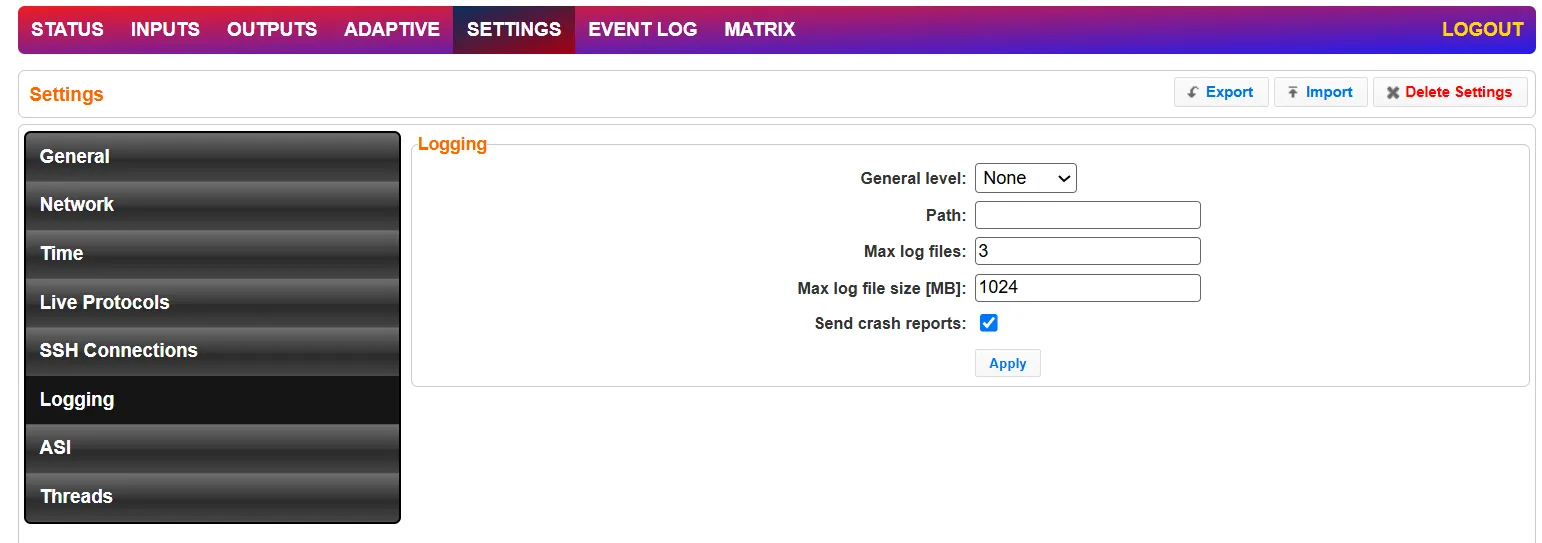
The Logging screen defines the logs location and preferences for debugging purposes.
Field | Description |
|---|---|
Logging | |
General Level | The Severity Level that will be collected in the log, from Info, Warning, Error, to Fatal. Selection of lower severity levels will include all higher-level logs. Default: None, since Logging is resource-intensive and only enabled when necessary. |
Path | The log file name and path where the collected event information will be stored. |
Max log files | The maximal number of log files. |
Max log file size (MB) | The maximal size of each log file. |
Send crash reports | Select the checkbox to send a crash report to Zixi Support. |
Advanced Mode
The fields discussed below are optional and available only in Advanced Mode.
To enter Advanced Mode add the URL parameter ?advanced=1 to the Zixi Broadcaster URL in your browser and press Enter/Return to reload the page:

Note the Advanced Mode settings are generally intended for advanced users and special cases. If you do not understand the settings, you should probably accept the default values.
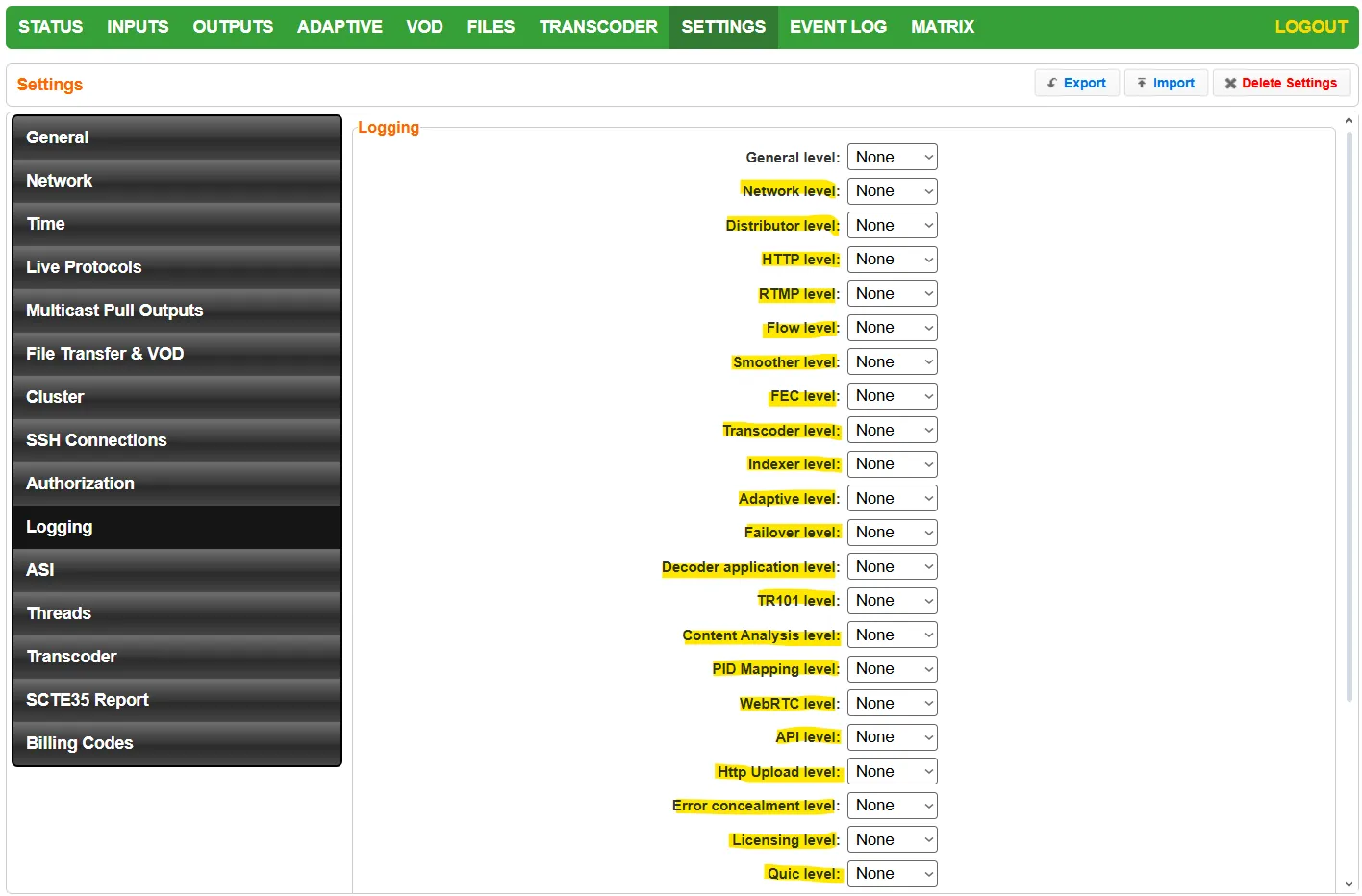

Details Logging modes for specific categories as listed below. This is usually used internally by Zixi Engineers for debugging purposes.
Logging Type | Description |
|---|---|
Network Level | Tracks network-related components (sockets, reads, writes, etc.) |
Distributor Level | Tracks the distribution of the inputs to outputs |
HTTP Level | Tracks HTTP API requests |
RTMP Level | Tracks RTMP inputs and outputs (connections, disconnections, payload transmissions) |
Flow Level | Tracks demultiplexer, video and audio parsers, multiplexer, and CBR padder |
Smoother Level | Logs from the PCR smoother, which helps reduce bursts coming from the source |
FEC Level | Logs forward error corrections |
Transcoder Level | Logs level in transcoder |
Indexer Level | Log for file indexing (when VOD is enabled on the broadcaster) |
Adaptive Level | Logs for the generation of the adaptive group (HLS/MPD) |
Failover Level | Logs for failover group input |
Decoder Application Level | Logs for the decoder application helper app. Responsible for thumbnail generation and content analysis (CQA) |
TR101 Level | Logs TR101 analysis messages |
Content Analysis Level | Content Analysis Component Level Logging |
PID Mapping Level | Tracks logs related to PID mapping |
WebRTC Level | Track logs related to WebRTC streaming |
API Level | Logs new API functionality |
HTTP Upload Level | Tracks HTTP file transfers (used when uploading HLS or MPD segments to S3 bucket (or similar) |
Error Concealment Level | Logs error concealment applied to broken frames |
Licensing Level | Logs messages related to licensing |
QUIC Level | Logs everything to do with the QUIC protocol (an experimental Google protocol that can be enabled in settings/live protocols) |
DRM Level | Logs DRM handling in adaptive group settings (in advanced mode) - there is an option to encrypt the content using a third-party DRM provider (Irdeto DRM) |
Levels of Logging
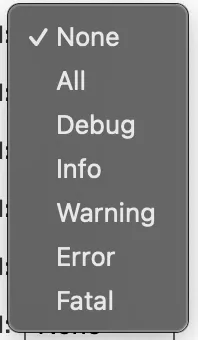
- None - No logging
- All - All messages
- Debug - Highest verbosity, can affect the service. Use with minimal setup needed to reproduce the problem
- Info - Message that some action was performed successfully
- Warning - Message about a condition or event that was unexpected
- Error - Message that an error occurred in some action
- Fatal - Message of a fatal error preventing delivery of a stream