ZEC Encrypting an Input Stream
1 min
You can encrypt a specific input stream using static key AES scrambling encryption (AES 128, AES 192, AES 256). The stream encryption prevents any further processing, such as analysis, transcoding, etc. For more information, see the Transcoder section.
The encryption works in the following way:
- If the stream has been encrypted at the source - The stream will remain encrypted regardless of the output type. ZEC can only encrypt the stream after it has been decrypted.
- If the stream is being encrypted by the ZEC - it will be encrypted only if the output is a Zixi Pull or Zixi Push output. All other outputs will send out an unencrypted stream.
To encrypt an input stream in ZEC:
In the Inputs screen, click +New Input.
Select the relevant input type.
Fill in the stream parameters.
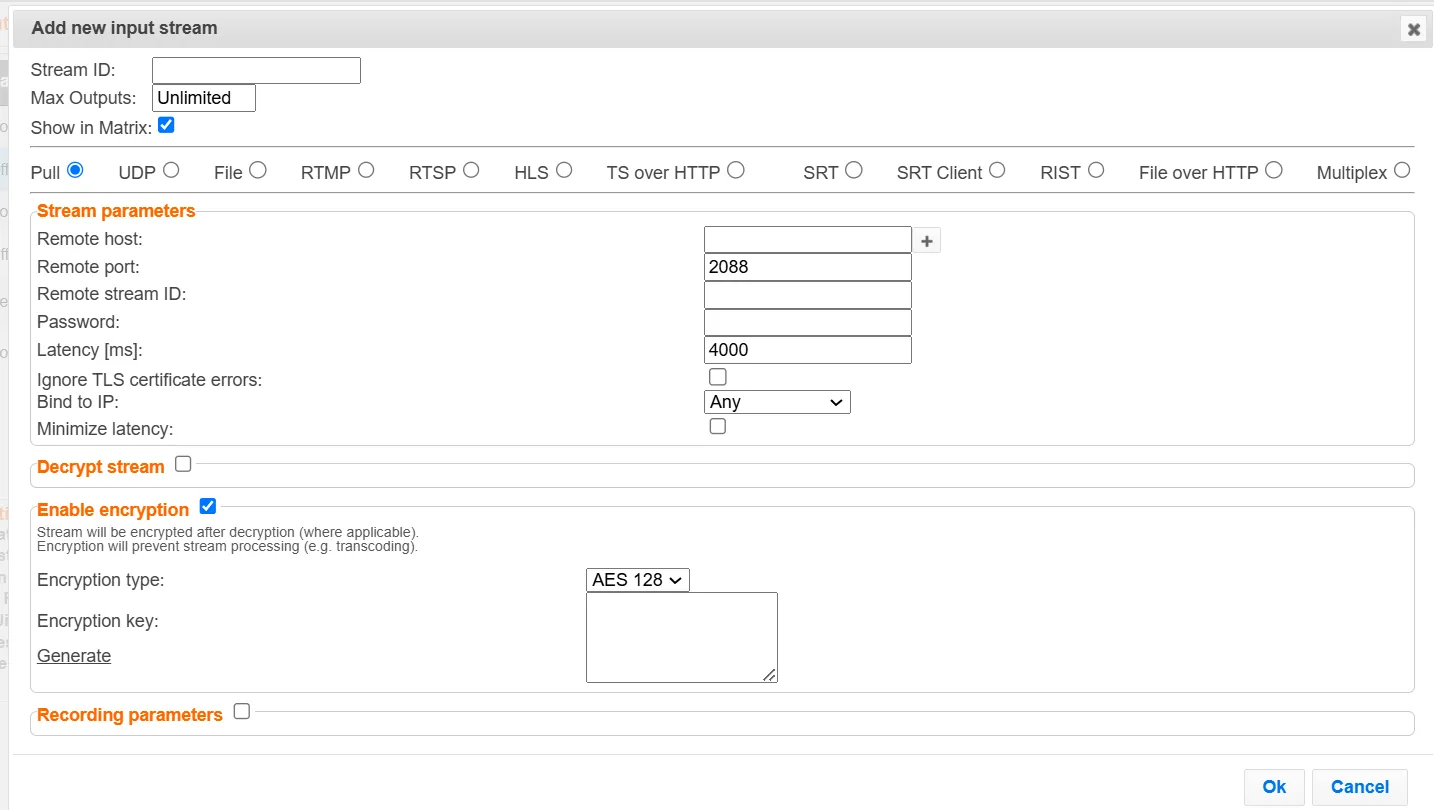
At the bottom, select the Enable Encryption checkbox.
In the Encryption Type field, select AES 128, AES 192, or AES 256 for fixed encryption.
In the Encryption Key field, enter your own key or click Generate to generate a key by the system. The exact key should be used to decrypt the stream on the other end.
Click OK.