Changing the Default Port for the Broadcaster Web UI (4444)
If, for any reason, you require the Broadcaster User Interface to be changed from port 4444, there are a few ways to make this adjustment.
Note that you cannot change the default port prior to or during the installation process, but you can do so after installing using one of the methods described below.
Within the User Interface directly (note that this will work only if port 4444 is open and available)
Go to the Settings Tab and in "Web Server Port" enter the new port number.
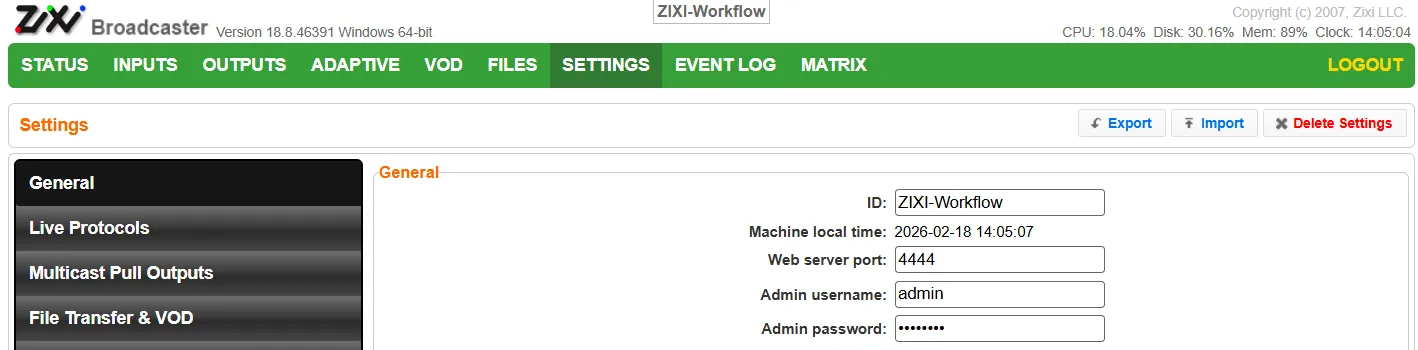
Click Apply.
Restart the Broadcaster.
Using sed or Linux commands, or editing the config file on Windows and MacOS
After installing the Broadcaster, use sed or a similar Linux command to update the port in the broadcaster-config.xml file, which is located in the Broadcaster directory.
Stop the Broadcaster process.
Run the sed command:
Or Update in the broadcaster-config.xml file (you will need to use this method on Windows or MacOS; you can edit the file in any text or code editor):
Change <WEBSERVER> <PORT>4444</PORT> </WEBSERVER> to <WEBSERVER> <PORT>5555</PORT> </WEBSERVER> for example.
Restart the Broadcaster process.
Using API commands
Note that to use the API, port 4444 will have to be open and available. If you are making this change because that port is not available, you can make it available by taking the machine off the network temporarily.
Install the Broadcaster.
Make an API call on the local machine like the following:
curl -i --user "admin:1234" http://127.0.0.1:4444/apply_settings.json?gui_web_port=5555
The Broadcaster process will have to be stopped and restarted for this change to take effect.