ZEC Start/ Stop Record
1 min
To Record multiple Incoming Streams:
- In the ZEC Inputs screen, select the relevant Inputs by selecting the checkboxes. Click the Marked drop-down menu and then click Start Record or Stop Record.
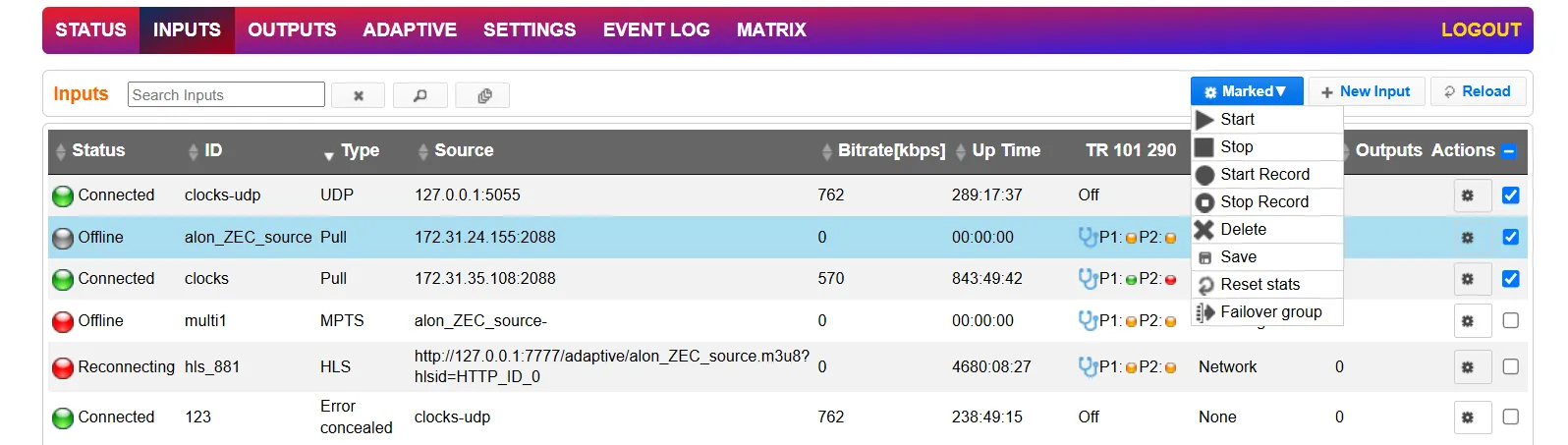
The selected input streams will be recorded.