Threads
The Threads screen enables the configuration of the maximal number of concurrent CPU threads allowed for each component/service. A fraction means proportion of the number of cores. Enter -1 to limit the threads according to the number of cores.

Parameter | Description |
|---|---|
Input | Maximal number of threads for all input streams. |
Output | Maximal number of threads for all output streams. |
VOD | Maximal number of threads for all VOD streams. |
Read |
|
RTMP | Maximal number of threads for RTMP streams. |
UDP In | Maximal number of threads for UDP input streams. |
UDP Out | Maximal number of threads for UDP output streams. |
HTTP In |
|
Transcoder | Maximal number of threads for transcoding. |
Push Output Receive |
|
HTTP | Maximal number of threads for the HTTP server. |
Authorization | Maximal number of threads for the authorization component. |
Analyzer | Maximal number of threads for the analyzer component. |
Adaptive | Maximal number of threads for segmenting adaptive groups. |
Various Inputs |
|
Accept |
|
DPDK receive | Maximal number of receiving threads in DPDK network stack. |
Advanced Mode
The fields discussed below are optional and available only in Advanced Mode.
To enter Advanced Mode add the URL parameter ?advanced=1 to the Zixi Broadcaster URL in your browser and press Enter/Return to reload the page:

Note the Advanced Mode settings are generally intended for advanced users and special cases. If you do not understand the settings, you should probably accept the default values.
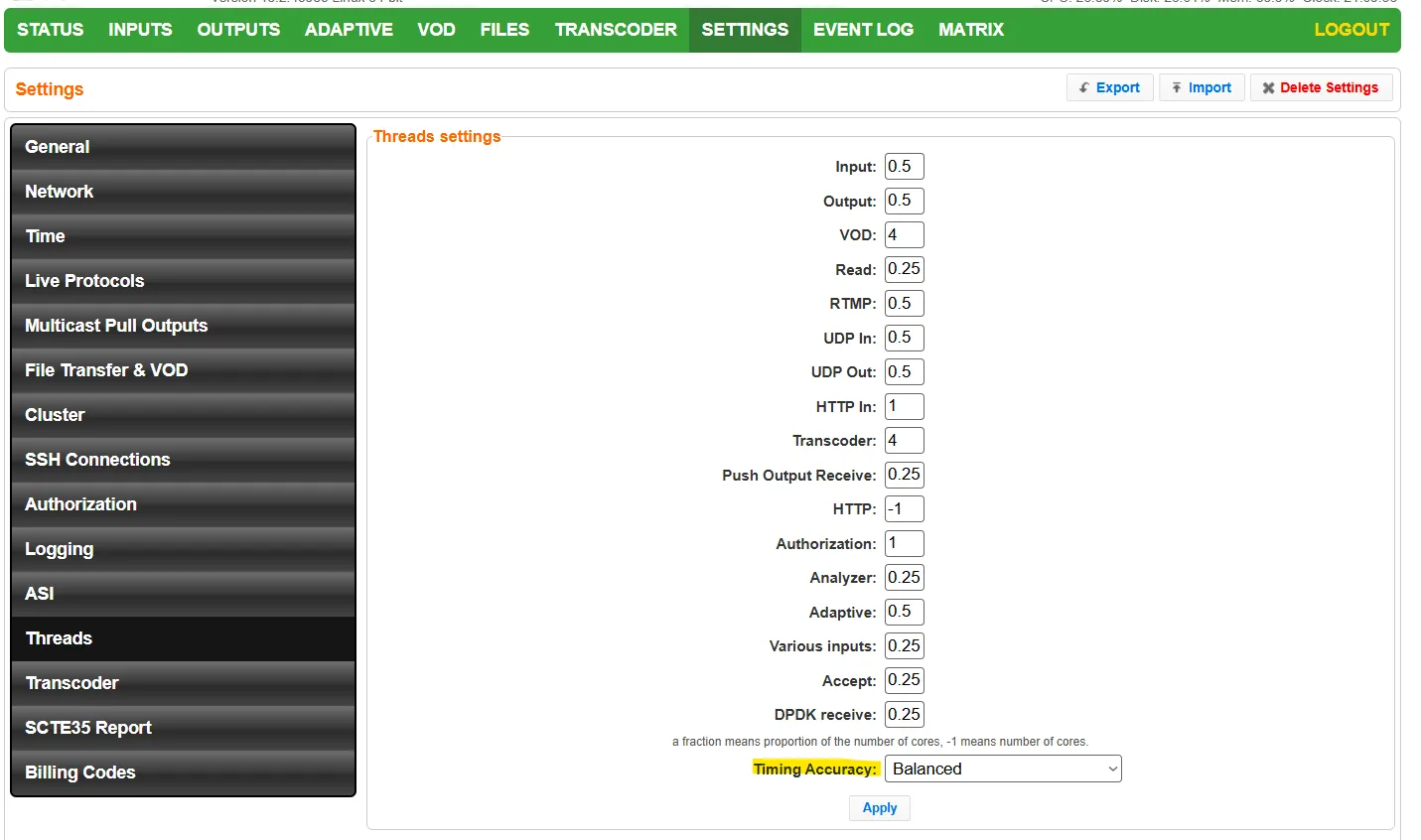
- Timing Accuracy
- Highest (Lowest Throughput)
- Very High
- High
- Balanced
- Low
- Very Low
- Lowest (Highest Throughput)