Enabling the High-Performance Networking Feature (DPDK)
1 min
After the installation you will need to enable the High Performance Networking feature (DPDK) on specific network interface.
To enable High Performance Networking feature:
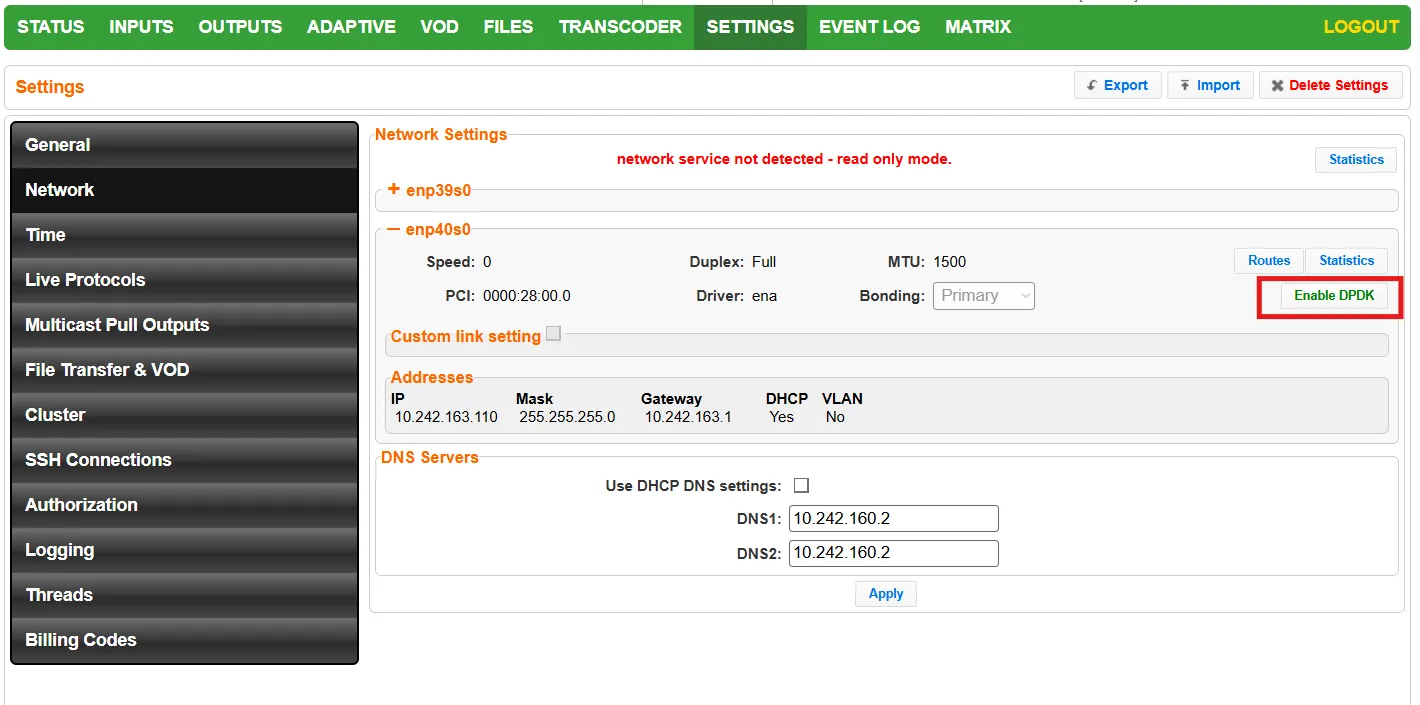
On Zixi Broadcaster, go to Settings > Network.
Click the relevant network interface to display its details.
Click the Enable DPDK button.
Go to Settings > General.
In the Server Ports section, for each port, select the IP for DPDK from the IP dropdown list.

Restart the Zixi Broadcaster by going to the Status screen and clicking Restart.

Confirm the restart. High Performance Networking (DPDK) is enabled. When it is enabled, you will see that the button says “Disable DPDK”.