Manually Extending a Stage
After changing an Auto Stage to Manual (see, Switching to Manual or Auto During the Event), a dialog will be displayed asking you to choose whether you want to Maintain start time or Maintain duration. In this section we will explain what is the meaning of each option and what are its consequences for the next stages when you use them to extend a stage.
Maintain Start Time Extension
In this option the start time of the next stage will be according to the originally configured Start Time.
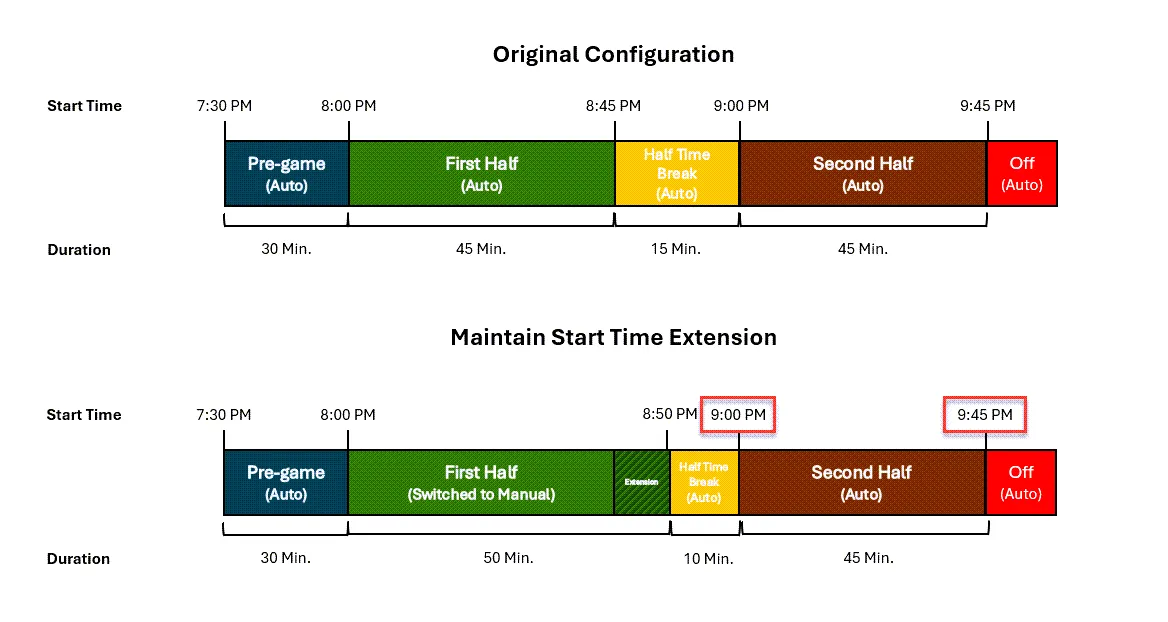
In the example illustrated above the first half is manually extended by 5 minutes. In this case the following will occur:
- During the “First Half” stage the operator switched to manual and selected the Maintain Start Time option.
- After 5 minutes into the first half extension the operator clicked Start Next Stage and moved to the Half Time Break stage.
- The start times of the following stages (marked by a red rectangle) will begin automatically according to the original configuration:
- Half Time Break stage will end automatically at 9:00 PM (the original configured start time for the Second Half stage) and the Second Half will start automatically.
- The Second Half will end automatically at 9:45 PM (the original configured start time for the Off stage).
Maintain Duration Extension
In this option the start time of the next stage will be according to the Duration of each stage.
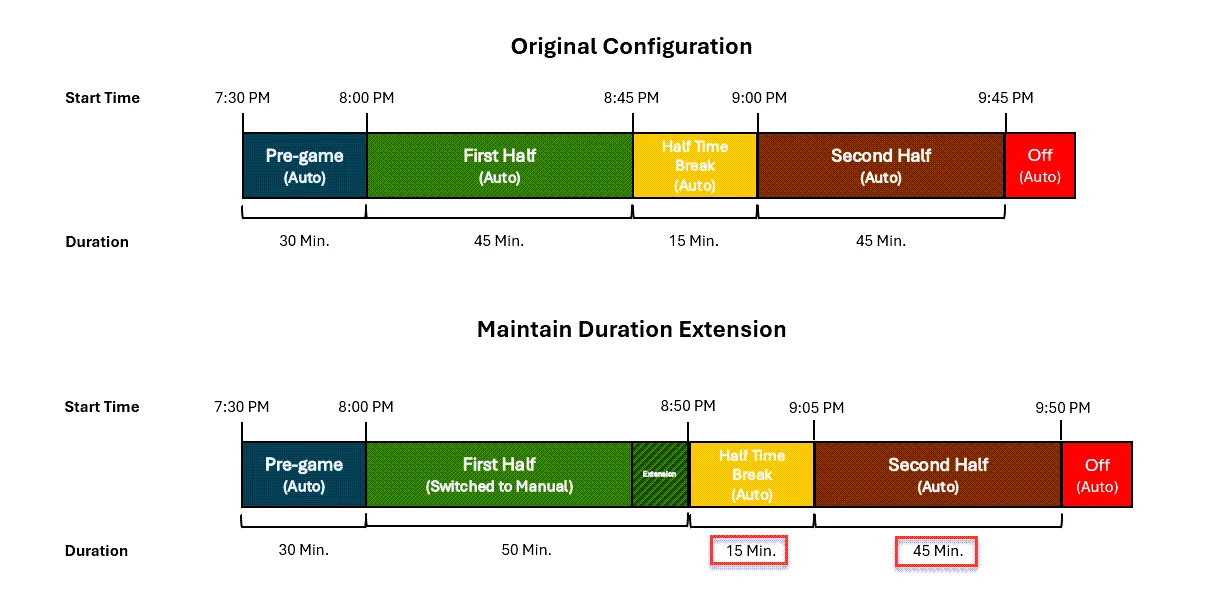
In the example illustrated above the first half is manually extended by 5 minutes. In this case the following will occur:
- During the “First Half” stage the operator switched to manual and selected the Maintain Duration option.
- After 5 minutes into the first half extension the operator clicked Start Next Stage and moved to the Half Time Break stage.
- The start times of the following stages will be shifted by 5 minutes, as they will begin automatically according to the original duration configuration (marked by a red rectangle):
- Half Time Break stage will end automatically at 9:05 PM (based on the original configured duration for the Half Time Break stage) and the Second Half will start automatically.
- The Second Half will end automatically at 9:50 PM (based on the original configured duration for the Second Half stage).