Child Targets (for Dynamic Targets)
Dynamic Pull Targets enable you to connect multiple ZECs/Receivers or Zixi-enabled decoders to the same Target. For Dynamic Targets, the Child Targets tab shows all devices that have been connected to the Target. The name of each Child Target consists of the name of the parent Target followed by the device ID.
You can click on a Child Target tab to view additional info of the devices that have been connected to the Dynamic Target. While viewing the details of a Child Target, you can click on the Convert button to convert it into an independent Pull Target.
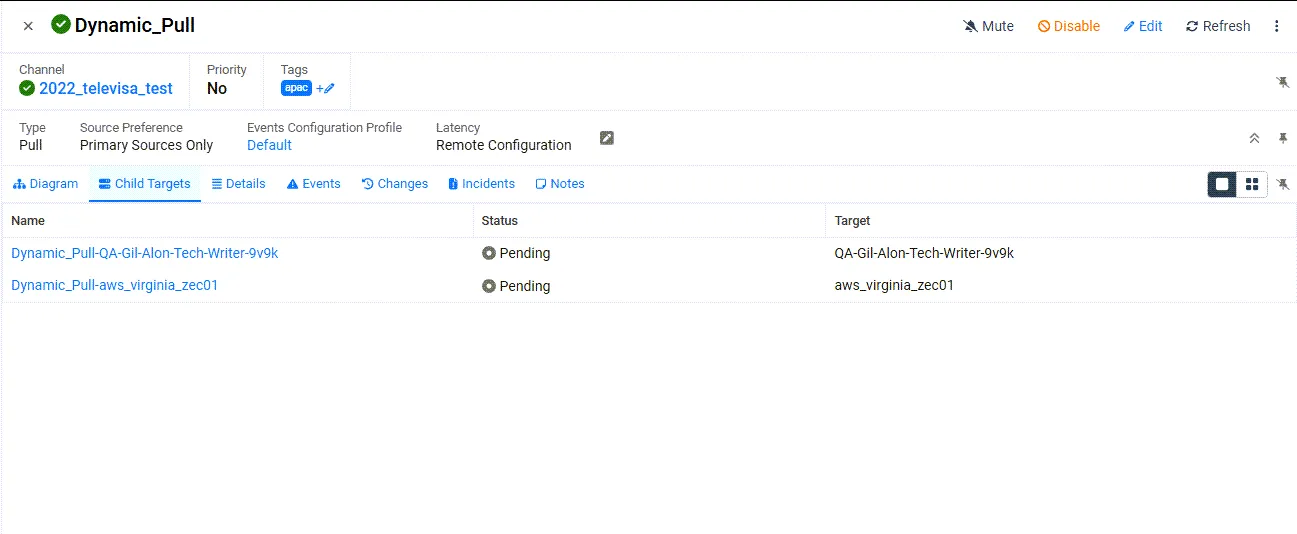
Column | Description |
|---|---|
Name | The name of the child target comprises the name "Dynamic-Pull" followied by the name of the host that is pulling the stream. |
Status | Shows the status of the Target. Possible statuses are:
The 🔒 icon next to a Target indicates that the Target is password-protected. The 🔕 icon next to a Target indicates that the Target is muted, disabling notifications for error/recovery events. |
Target | The name of the host that is pulling the stream |
Editing the Child Target
To edit the Child Target:
- On the Child Targets screen, click on the relevant Child Target.
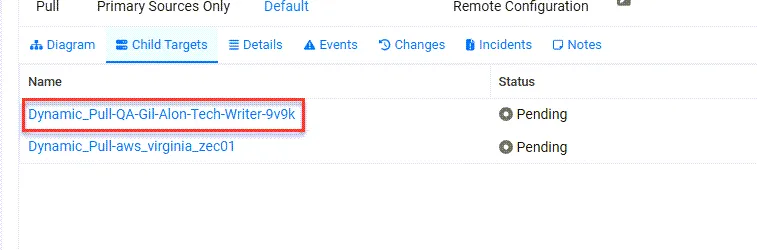
- Click the Details tab.
- Click Convert to an independent pull target.
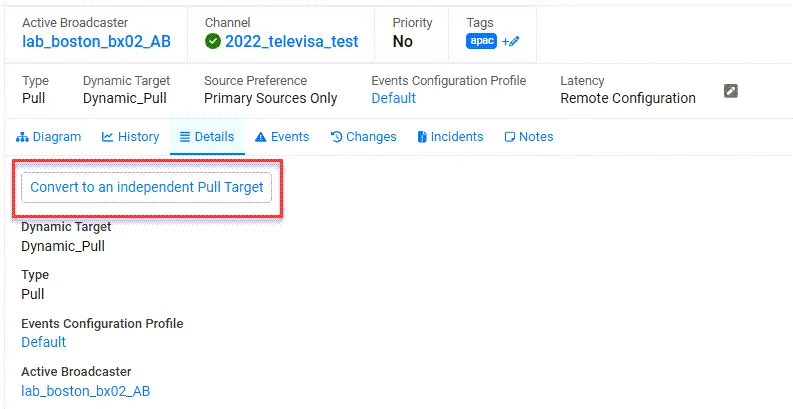
Following the conversion the target will be removed from the Child Targets tab of the original parent Target.
- After it has been converted, click Edit to modify its settings.
- If the Channel of a parent Target is changed, this will only affect new Child Targets that are connected after the change was made. The existing Child Targets will remain connected to the original Channel. To change the Channel for existing Child Targets, change the Channel of the parent and then select the desired child Targets in the Target list and delete them. Each Target will then reconnect and obtain the new Channel configuration from the parent Target.
- When you delete a parent Dynamic Target, all Child Targets under that parent are automatically converted to independent Pull Targets.