Monitoring in ZEN Master
ZEN Master includes monitoring tools for the ESNI Scheduling back-end. These tools will be available when the ESNI server module of ZEN Master is enabled and configured.
Setting Up Access to ESNI Schedules
User access to ESNI schedules is configured via Roles.
In the Create (and Edit) screen for Roles, go to the REGEX section:
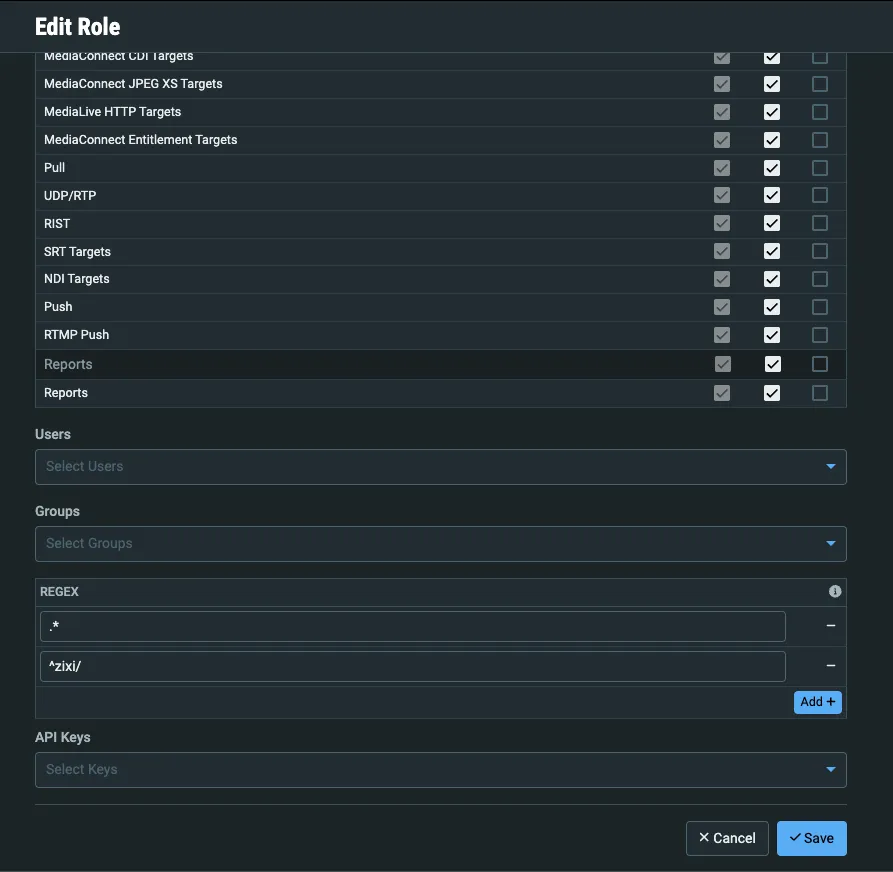
Users assigned this Role will match any SCTE224 Media, Policy, ViewingPolicy, or Audience ID’s that match the provided regex(es).
Regex allows flexibility to allow global visibility to an entire subset of Media’s that have consistent IDs (i.e. sharing all schedules that start with “customer1”) or lock users down to a single schedule.
Examplew:
- To match all schedules starting with a certain string, use ^string - (i.e. for “zixi”, use the regex ^zixi)
- To match schedules containing a string, use .*string.* (i.e. for “zixi”, use the regex .*zixi.*) - note the periods!
- To allow access to all schedules, use .*
Account Administrators will also have access to a “database” tab that will show all current SCTE224 files in ESNI database whether in active use by a Media or not.
Schedule Tab
The Schedule tab shows a practical representation of upcoming scheduled content switches, associated content that will be applied to various audiences, as well as timestamps of previously triggered switches.
Hover actions also provide matchSignal effective windows and assert statements.

Media Tab
The Media tab shows various elements of the current media as well as as an active policy table displaying currently active policies to various audiences.
Each tab will show selected relevant parameters of the ESNI elements as well as an option to see the RAW XML payload.

ViewingPolicy and Audience tabs
The ViewingPolicy and Audience tabs for Media also provide a drop down showing all associated Channels and Targets respectively.
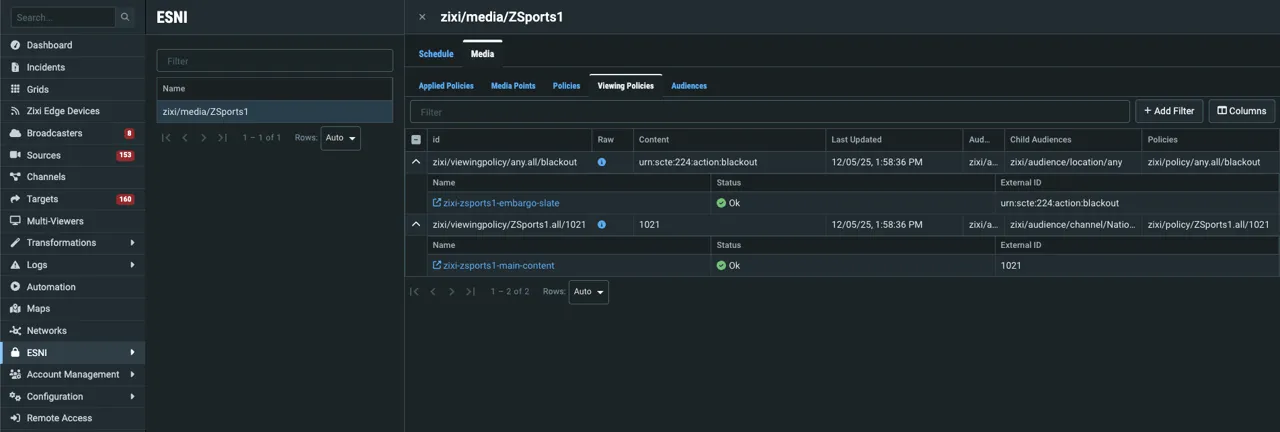
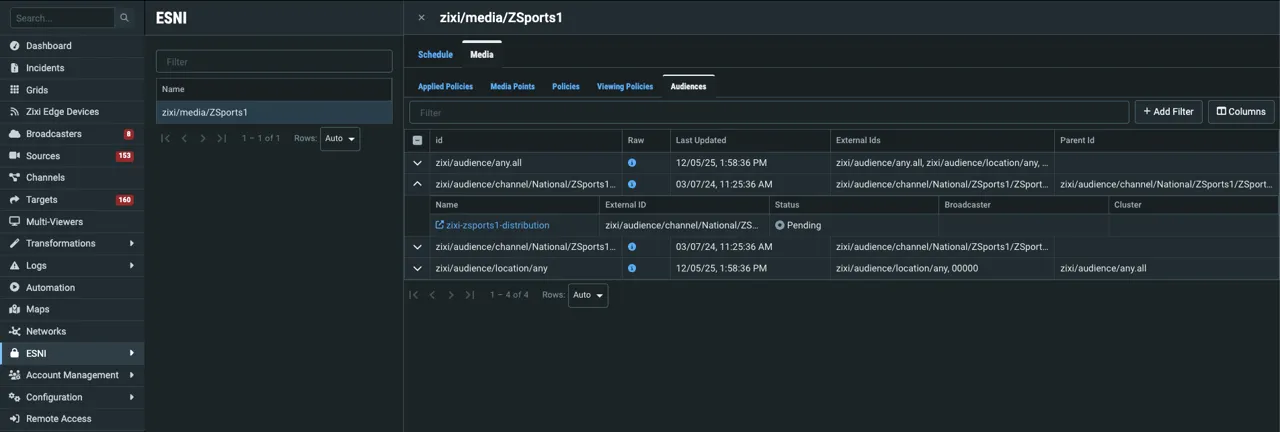
Note that the ESNI section in ZEN Master currently is for monitoring only - there are no actions available.